Clearing MCA accounts for foreign bank to bank transfers in ARC
This Job Aid describes the process for entering a General Journal Entry in ARC to clear Bank to Bank transfers between USD to Foreign (FX) MCA (Master Clearing Account) accounts.
Last Revision: February 2024
Details
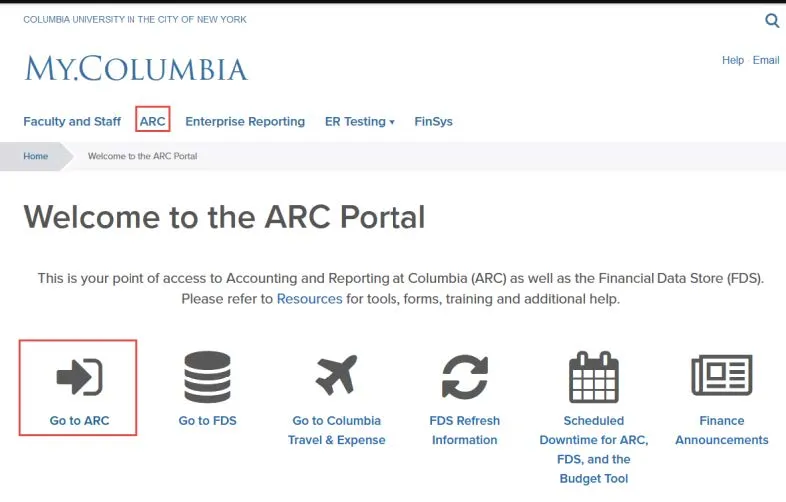
- From my.columbia.edu, click ARC and then Go To ARC.
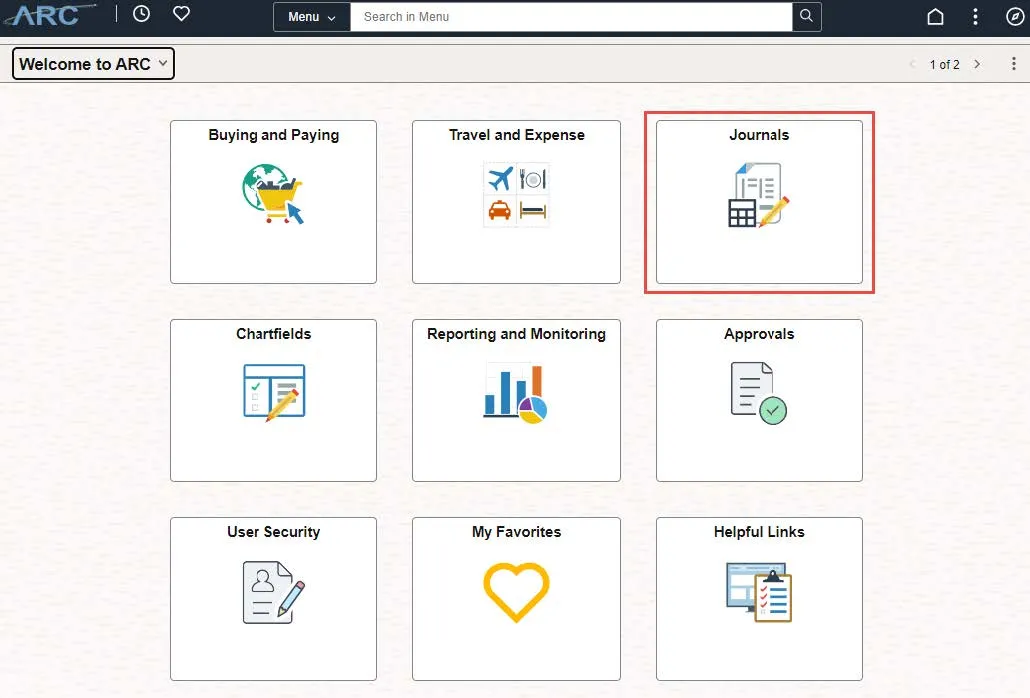
- Click the Journals tile. The Process Journals screen appears.
-
Click Create/Update Journal Entries menu option. Or, click the NavBar > Main Menu > Columbia Specific > General Ledger > Create/Update Journal Entries.
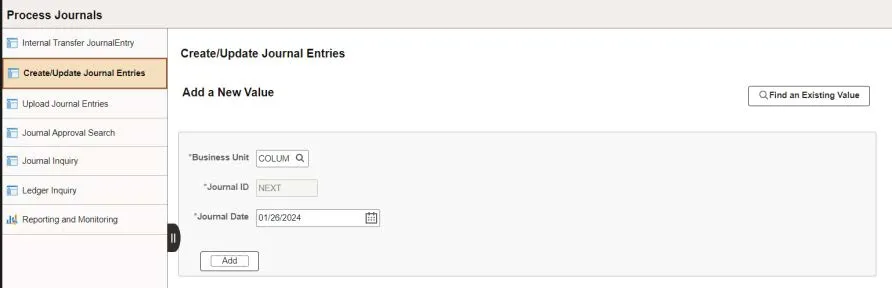
- Select Business Unit (COLUM), and the Journal Date will be default to today’s date. However, you can change this date to any open accounting period as necessary.
- Click Add. The Journal Entry page appears on the Header tab.
Completing the Journal Entry Header Information
- Enter a Long Description.
- Click the Currency Defaults USD/AVG/1 link.
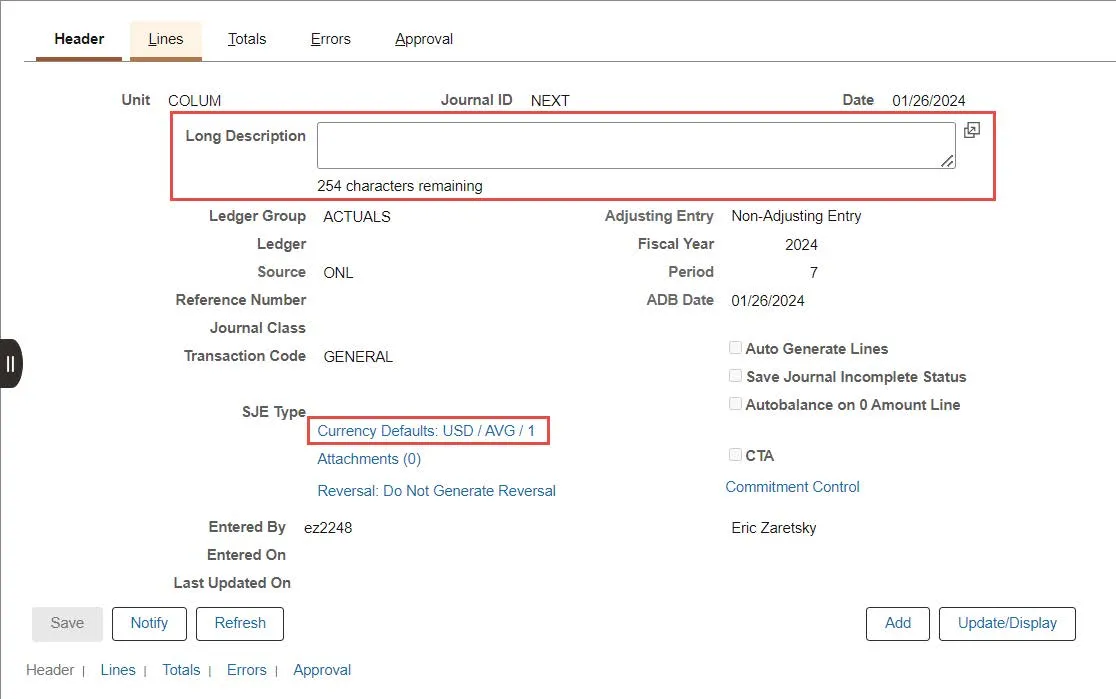
The Journal Entry Currency Default window appears.
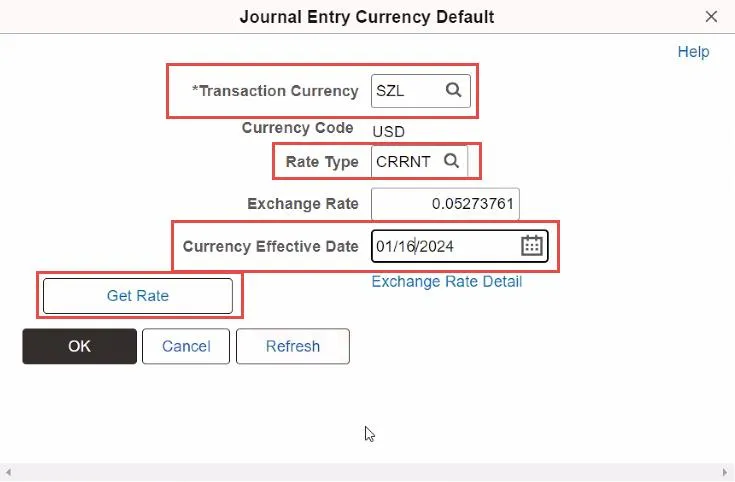
- Enter the 3 letter Transaction Currency for the foreign currency.
- Enter CRRNT in the Rate Type field.
- In the Currency Effective Date field, enter the date the transaction was received in the foreign bank account.
- Click Get Rate and Ok to return to the Header screen.
Entering the Journal Entry Lines
- Click the Line tab.
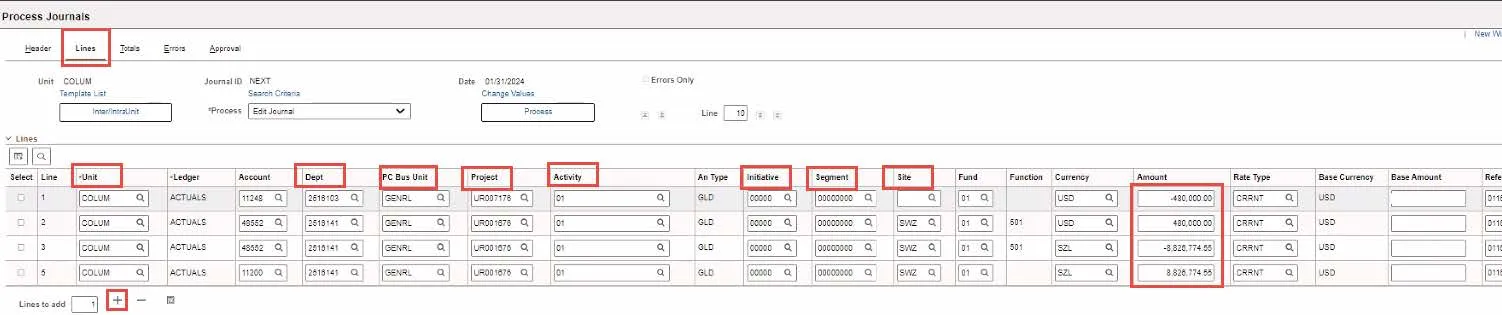
- Click on the plus + icon 3 times to add 4 lines to the journal.
- Enter lines as follows:
- Line 1 – Use the MCA ChartString for the bank account sending the funds.. Enter the Amount as a credit (as a negative number). Leave the Base Amount field blank. Enter Journal Line Description.
- Line 2 – Use the Natural Account 48552 and the MCA ChartString receiving the funds. Enter Amount as debit(Debit entered as a positive number). Leave the Base Amount field blank.
- Line 3 – Use the Natural Account 48552 and the MCA ChartString receiving the funds. Enter Amount of the Foreign Currency received in the foreign bank account (Credit entered as a negative number).
- Line 4 – Use the MCA ChartString receiving the funds. Enter the Amount of the Foreign Currency received in the foreign bank account (Debit entered as a positive number).
Note: It is important to validate that Lines 2, 3, and 4 have the same Unit, Dept, PC Bus Unit, Project, Activity, Initiative, Segment, and Site.

- Change the Currency on lines 1 and 2 to USD. The currency should not be changed until all four lines are entered.
- Click the Save button. The journal will be saved and the following updates will appear:
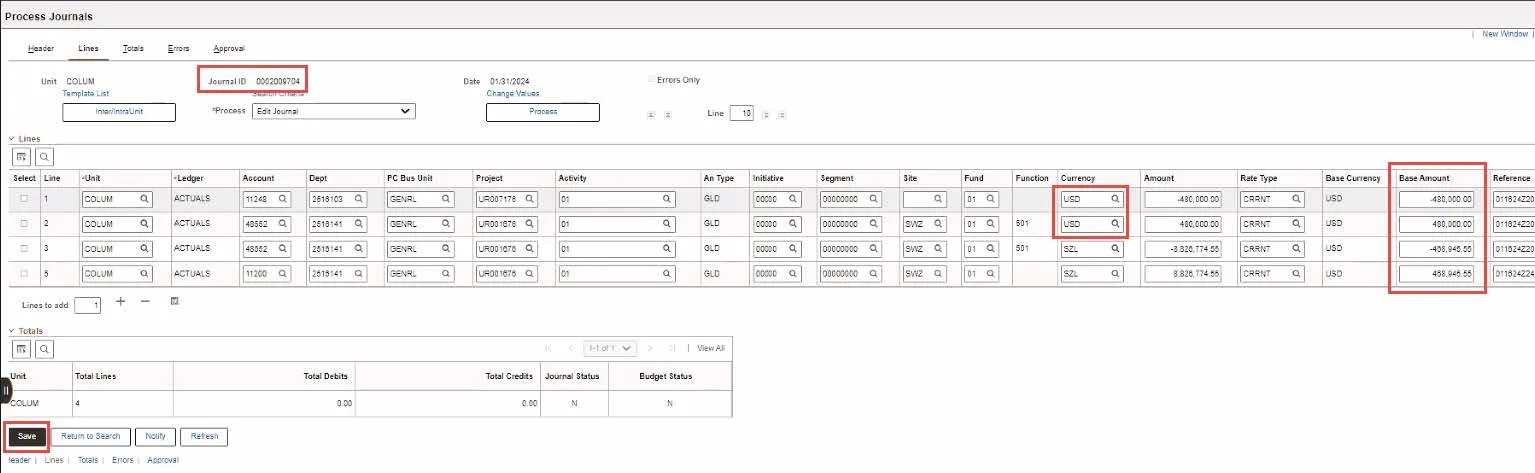
ARC will calculate the Base Amount. You can use the Bank Account Reconciliation Report in FDS to validate that the calculated Base Amount in the journal matches the Amount in USD for the receiving MCA account in the report.
The Journal ID will be changed from NEXT to the next Journal ID number available, which is generated automatically.
Processing the Journal
- Select Edit Journal in the process dropdown menu. Click the Process button. The Edit Journal process performs sets of data validations on the journal entry lines entered