Cloning and Sharing Trips in Concur Travel
This Job Aid details the process of cloning and sharing trips in Concur Travel.
Last Revision: April 2020
Cloning a Trip in Concur Travel starts a booking process with the identical parameters of an existing itinerary. You can then modify those parameters as needed. You can clone an itinerary for yourself or on behalf of anyone that has selected you as a Travel Delegate in their Concur Profile. Those that have the role as Travel Arranger can Clone Trips for Guests.
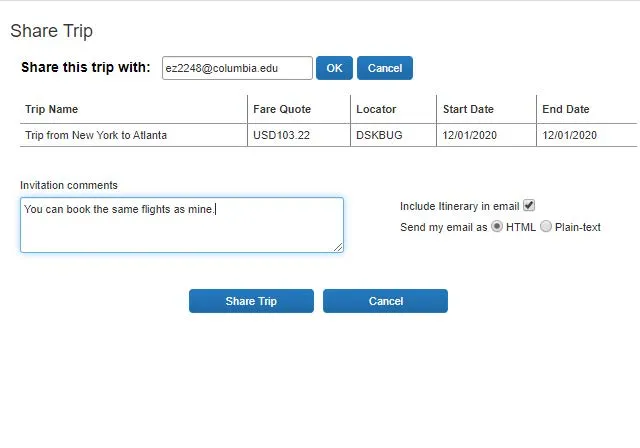
Sharing a Trip in Concur Travel sends an email to the Invitee and adds a travel alert to the Invitee’s Travel home page. The Invitee can then book a trip, starting with the same parameters as the shared trip and modify as needed. You can Share a Trip with any Concur Traveler at the University, regardless of role.
Topics
- View the trip you want clone under the Upcoming Trips tab.
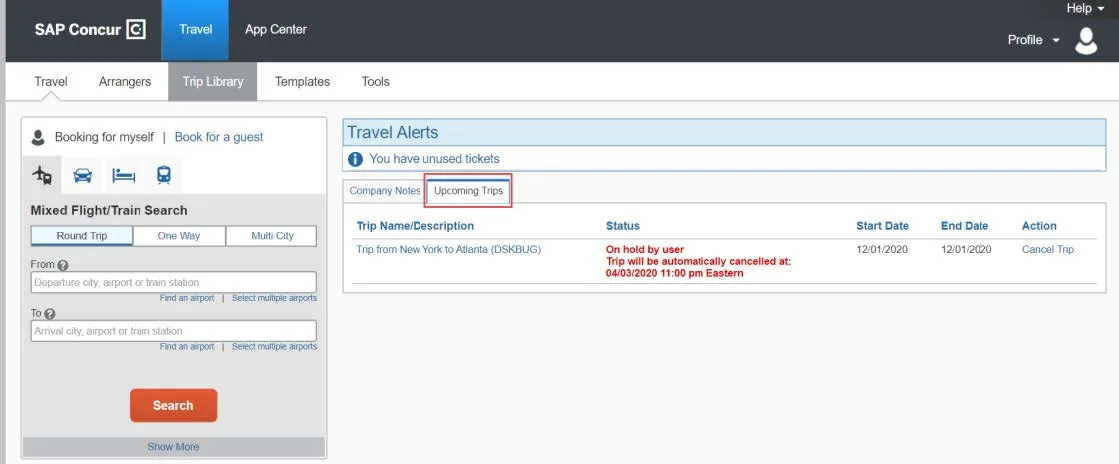
- Click the Trip Name/Description to view the Travel Details.
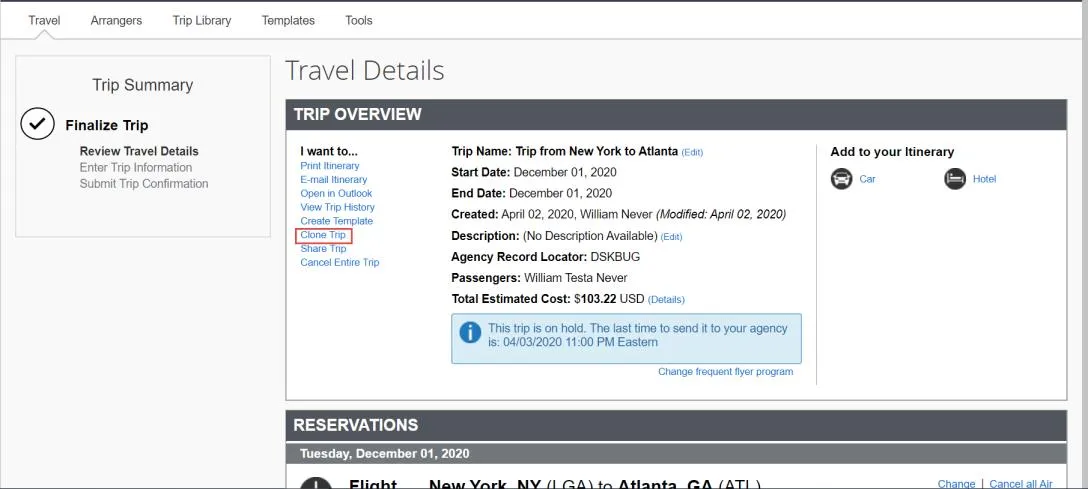
- Click Clone Trip from the I want to list. The Clone Trip screen appears.
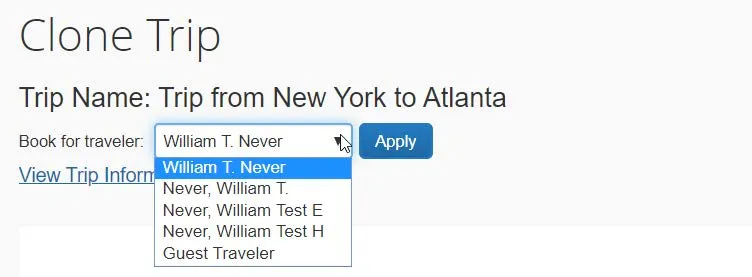
- Select from Book for traveler dropdown. The list consists of those travelers that have made you a Travel Delegate in their Concur Profile. If you have the role of a Travel Arranger, you see the option for Guest Traveler.
- Select to Search for these specific flights to search for that exact flight indicate below. Or, I would like to do a general search based on the Trip destination with different flight options. In our example, we will select to Search for these specific flights so that we can book the same flight for our traveler.
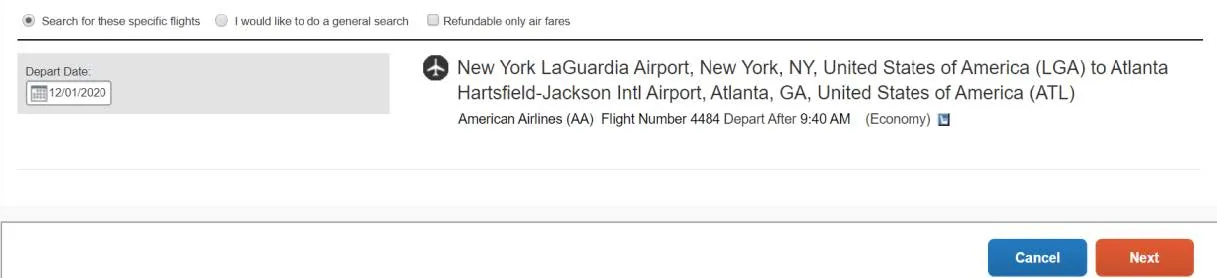
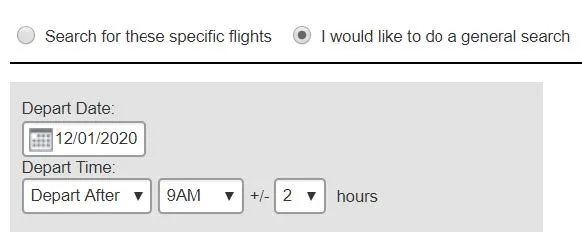
- Click Next. The dropdown option appears to select fare class. Select if desired.
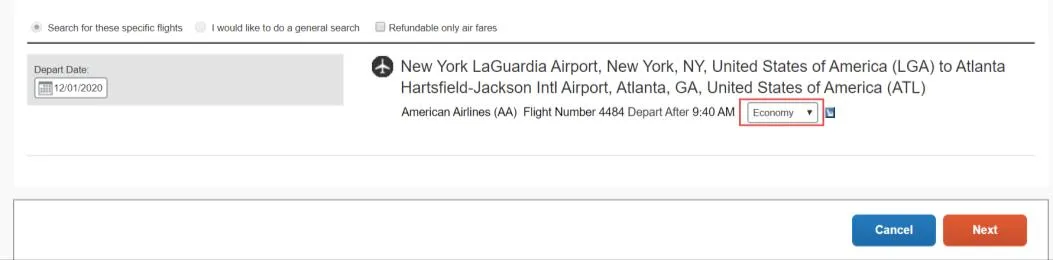
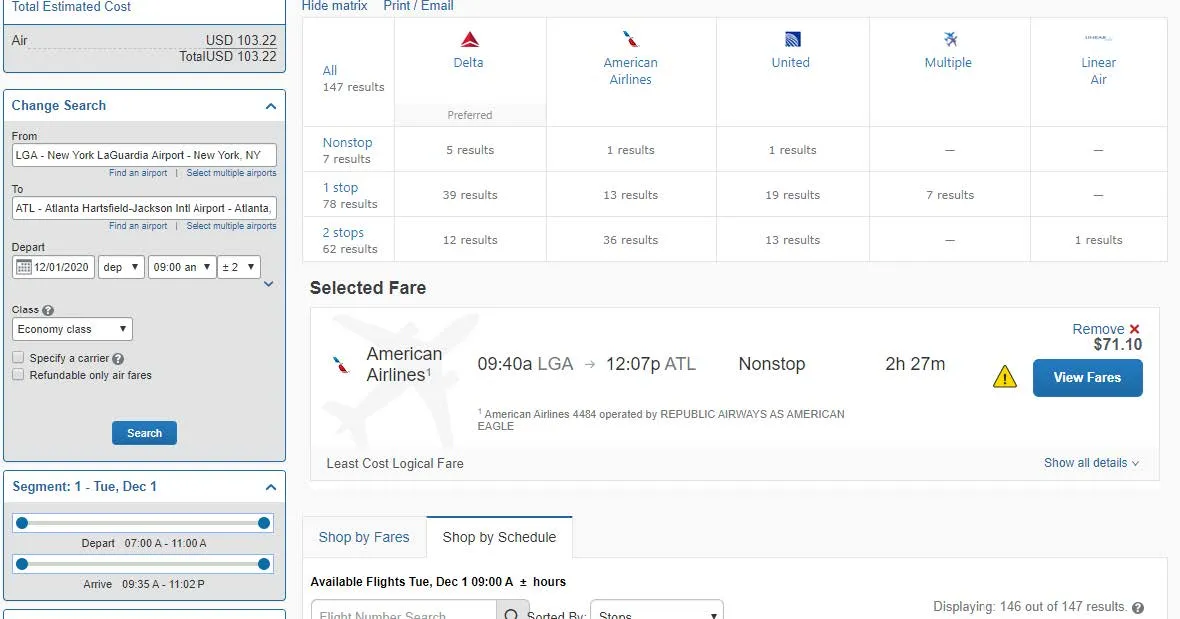
- Click Next. The matching search result appear.
- Make your selection, reserve and purchase tickets as you would normally.
Note: You are acting as the Traveler you selected when beginning to Clone the Trip.
- View the trip you want Share under the Upcoming Trips tab.
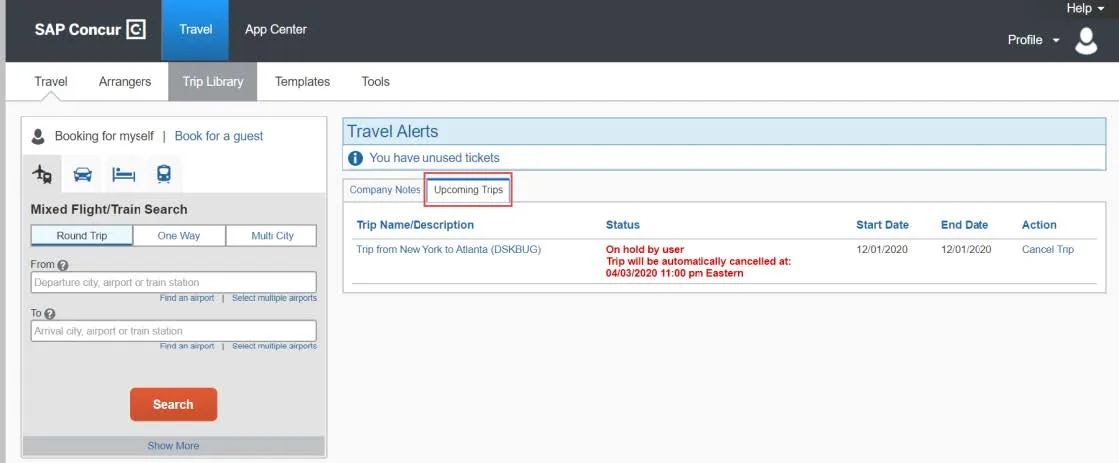
- Click the Trip Name/Description to view the Travel Details.
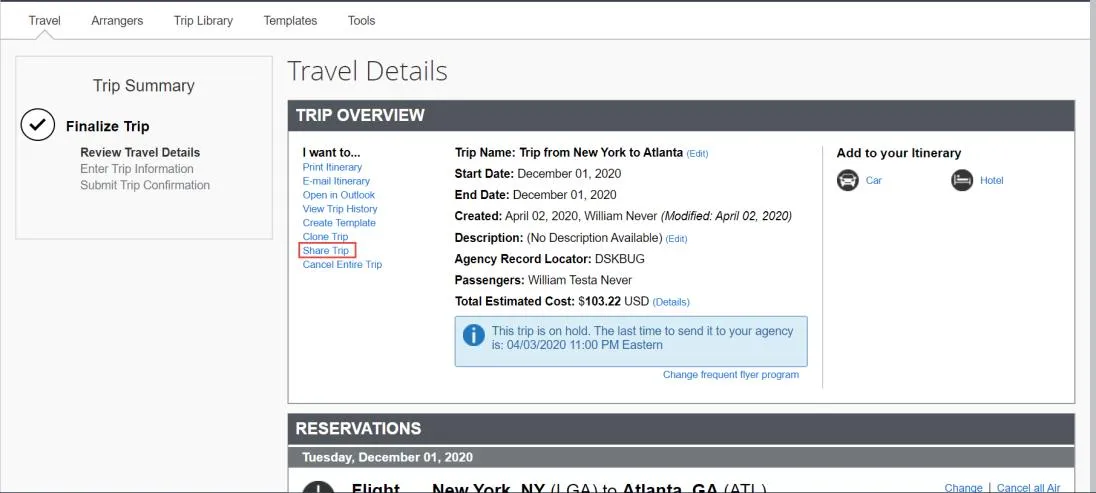
- Click Share Trip from the I want to list. The Share Trip screen appears.
- Enter the email address of the Concur Traveler for whom you want to Share this Trip with.
- Type any optional Invitation comments and click Share Trip.