Internal Transfers Between Business Units
This job aid contains transaction examples of how to create internal transfers between two different ARC business units.
Last Revision: December 2021
Special care must be taken when creating internal transfers between business units (BU). Internal transfers between BUs are typically required for transactions such as moving funds between projects, sharing expenses, or charging out and recovering costs for recharge centers. These transfers can be generated by both central units or by individual departments by using the matched pair concept.
In order to record internal transfers between business units, it is necessary to know if the BUs on the transaction are consolidated or non-consolidated, or if the initiating unit is an auxiliary enterprise. Knowing this will enable you to choose the appropriate transaction type below, allowing you to select the correct matched pair accounts for recording the transaction.
Examples
In this example, we will create an ITF transaction to transfer a fund balance using a 7-series internal transfer matched pair between two consolidated business units: CUHCI is transferring funds to COLUM.
- In ARC, navigate to the Journals tile and then select Internal Transfer JournalEntry (for Internal Transfers) or Create/Update Journal Entries (for General Journals). Or, For Internal Transfers, NavBar > Columbia Specific > General Ledger > Internal Transfer Journal Entry.


- Click the Add a New Value tab. The CU Journal Internal Transfers screen will appear and will be pre-populated with BU, Journal ID (NEXT) and Journal Date. Since this transfer is from CUHCI, enter CUHCI under Business Unit.
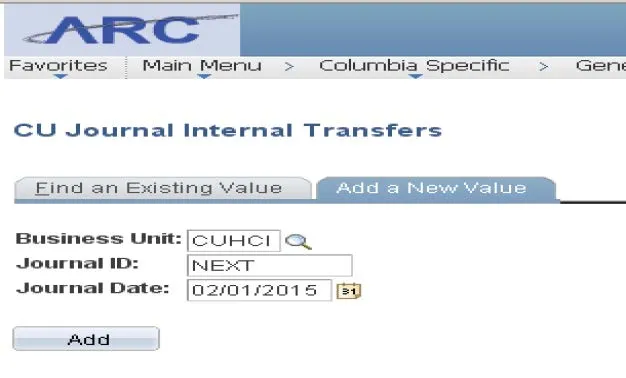
- Click Add.
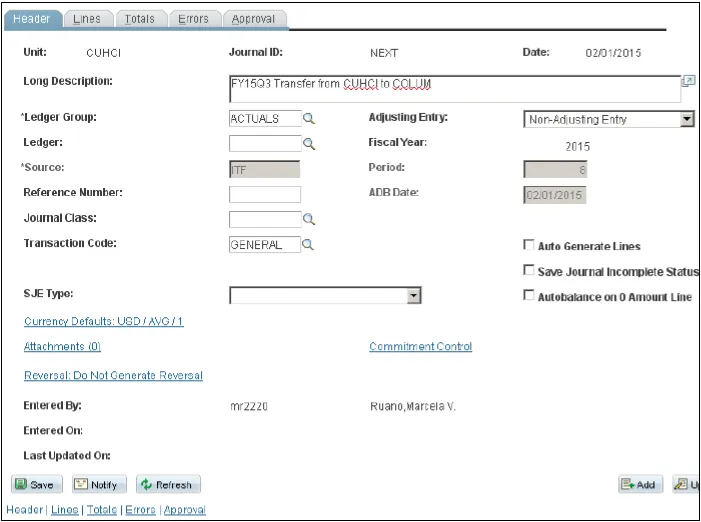
- Under the Header tab, enter a Long Description.
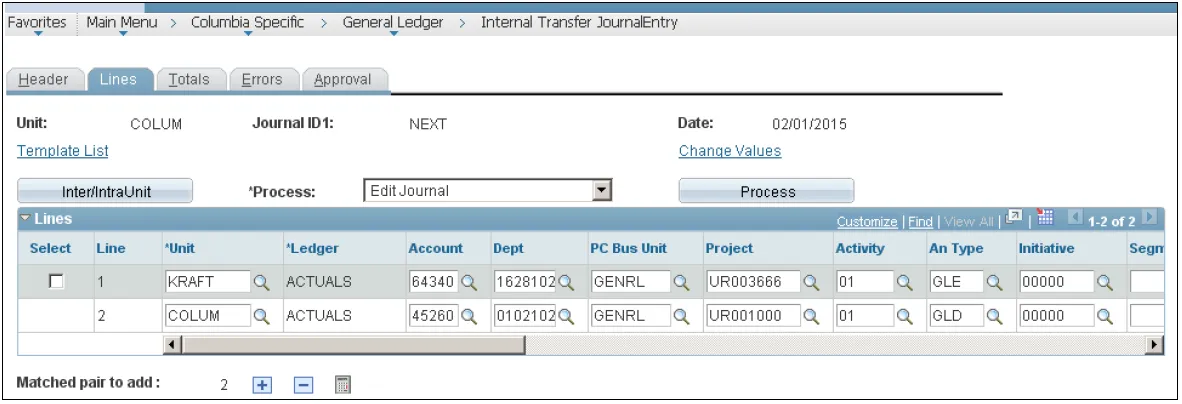
- Click the Lines tab.
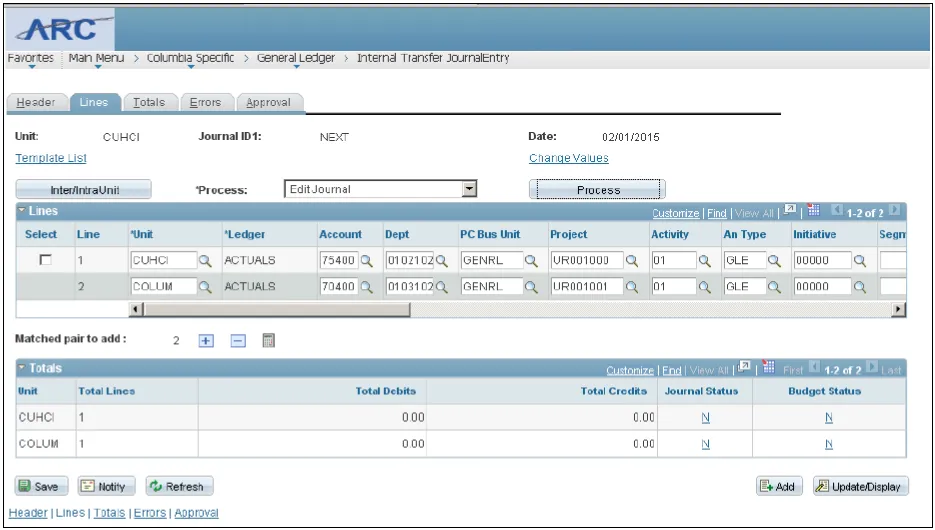
- Enter the corresponding ChartStrings. Note that once you enter the first match pair account, the second line for the accompanying match pair will auto-populate. Be sure to populate the Journal Line Description with the reason for your entry
- Complete the transaction by processing the Edit Journal step and submit for approval.
The first example below on rows 1 and 2 demonstrates a consolidated business unit charging for services to a non-consolidated business unit s follows: Dr. AGENC 64498 and Cr. COLUM 46270
The second example below on rows 3 and 4 shows a consolidated business unit charging supplies to a non-consolidated business unit as follows: Dr. AGENC 61898 and Cr. NJDOC 46261
The third example below on rows 5 and 6 shows supply charges between two non-consolidated business units as follows: Dr. AMERI 61898 and Cr. KRAFT 46261
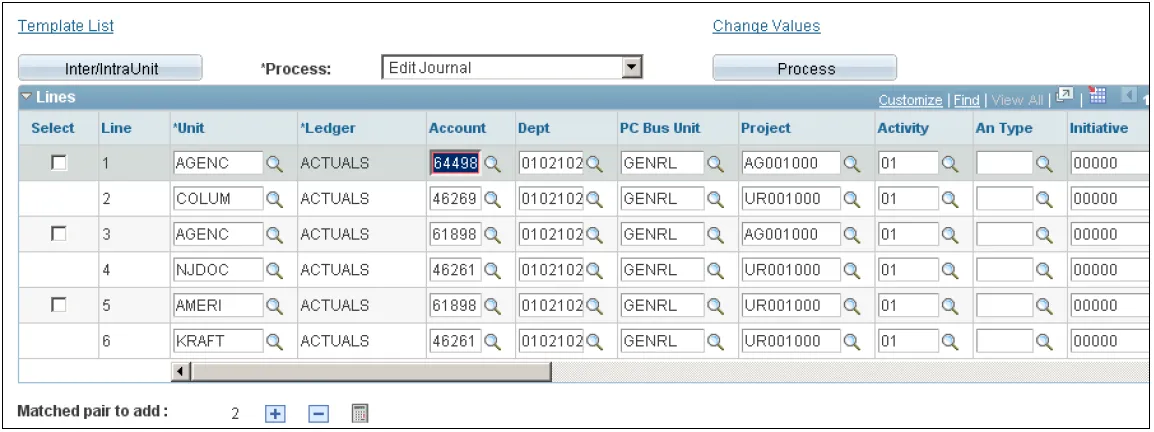
(i.e. Housing, Dining, Health Services, UEM, Faculty House, Faculty Club, etc.) Faculty House is an authorized auxiliary. They charge for an event for KRAFT (non-consolidated business unit) and recover in COLUM (consolidated business unit) using there standard matched pair accounts.