Managing Your Worklist in ARC
This job aid contains instructions on how to manage your ARC worklist — the items that have been routed to you and pending your action.
Last Revision: April 2025
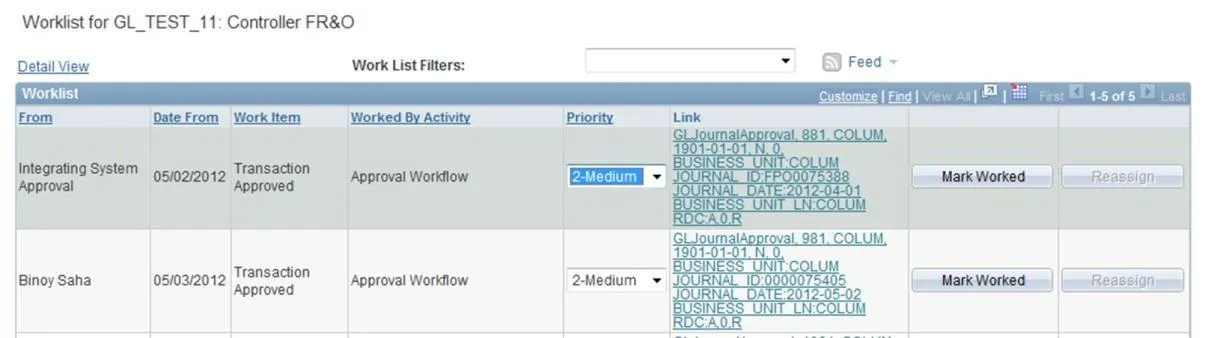
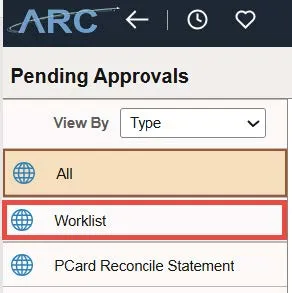
The Worklist is where you will manage the items that have been routed to you and pending your action. It is recommended that you manage your Worklist daily since there will be no e-mail notification sent when a new item is routed to you. You can access the Worklist from the Approvals tile and then the Worklist menu.
The Worklist has the following features:
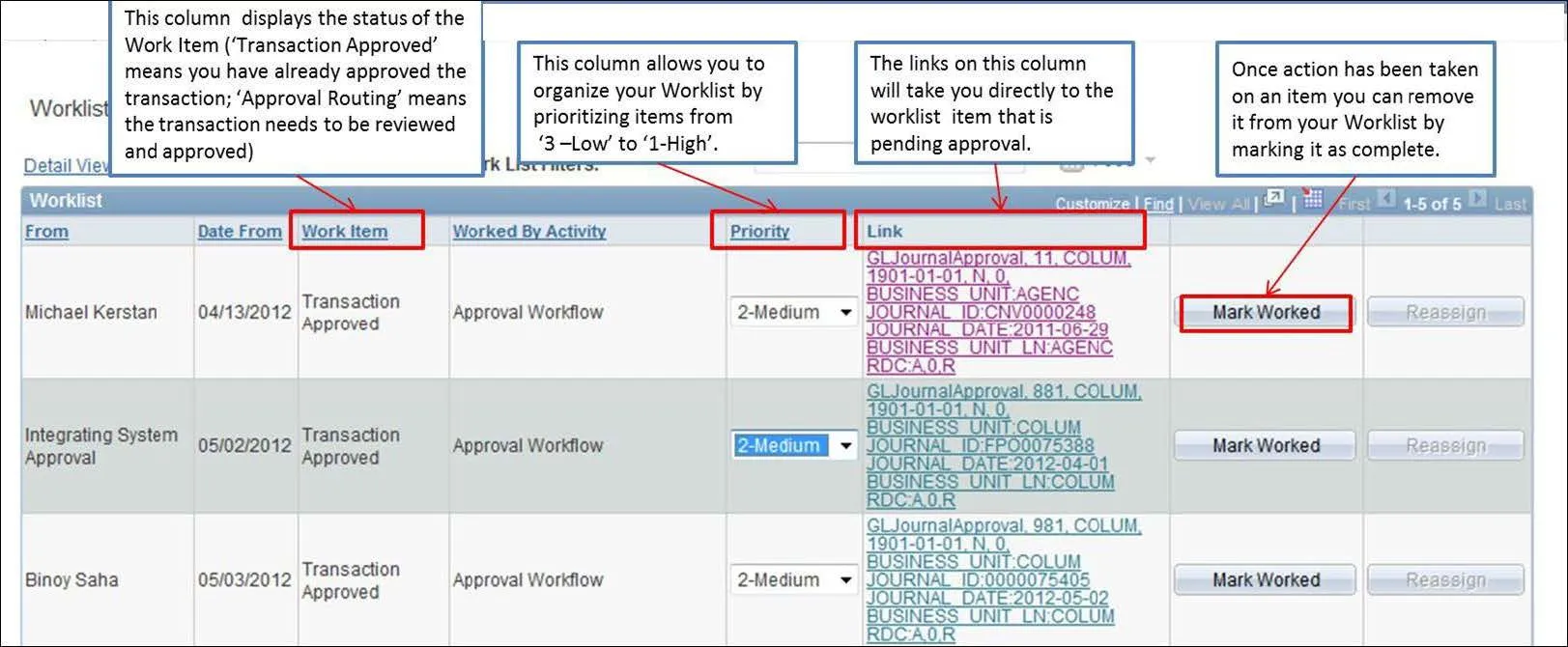
- Prioritize items from 1 –High to 3 – Low
- Access the item pending action from a direct link
- Mark items that have been worked on (this will remove the item from your Worklist)
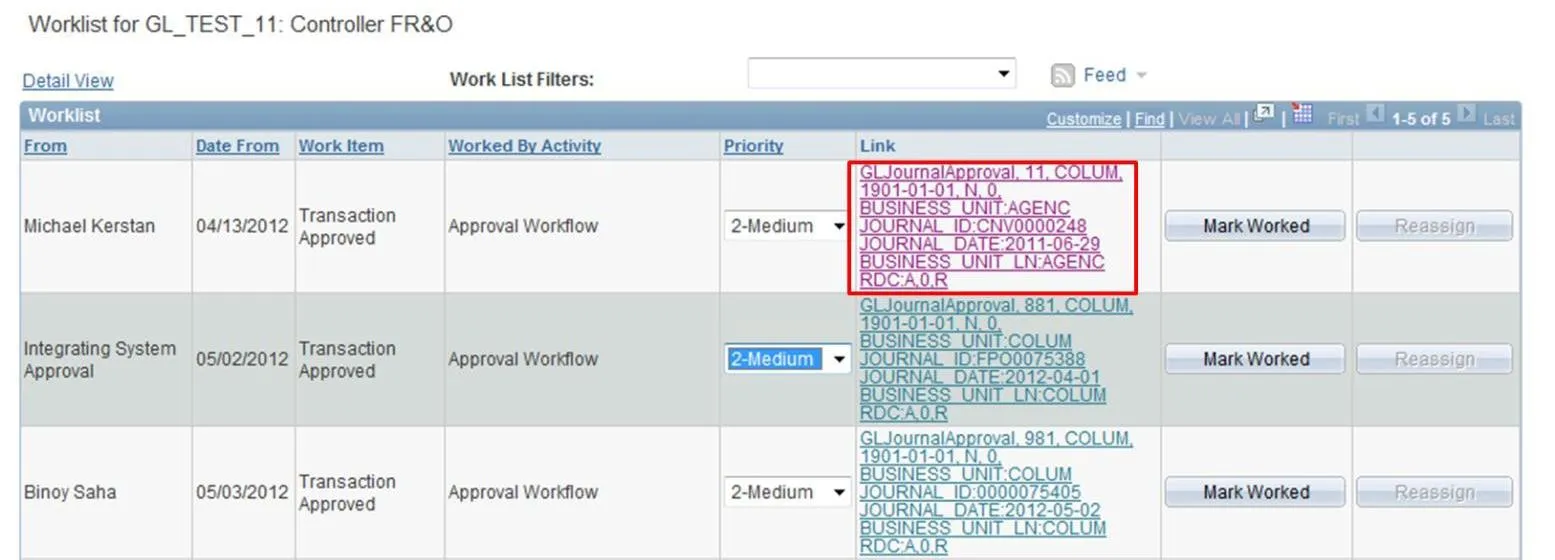
The diagram below highlights each of these features on the Worklist:
Click on the link of the item to be worked on.
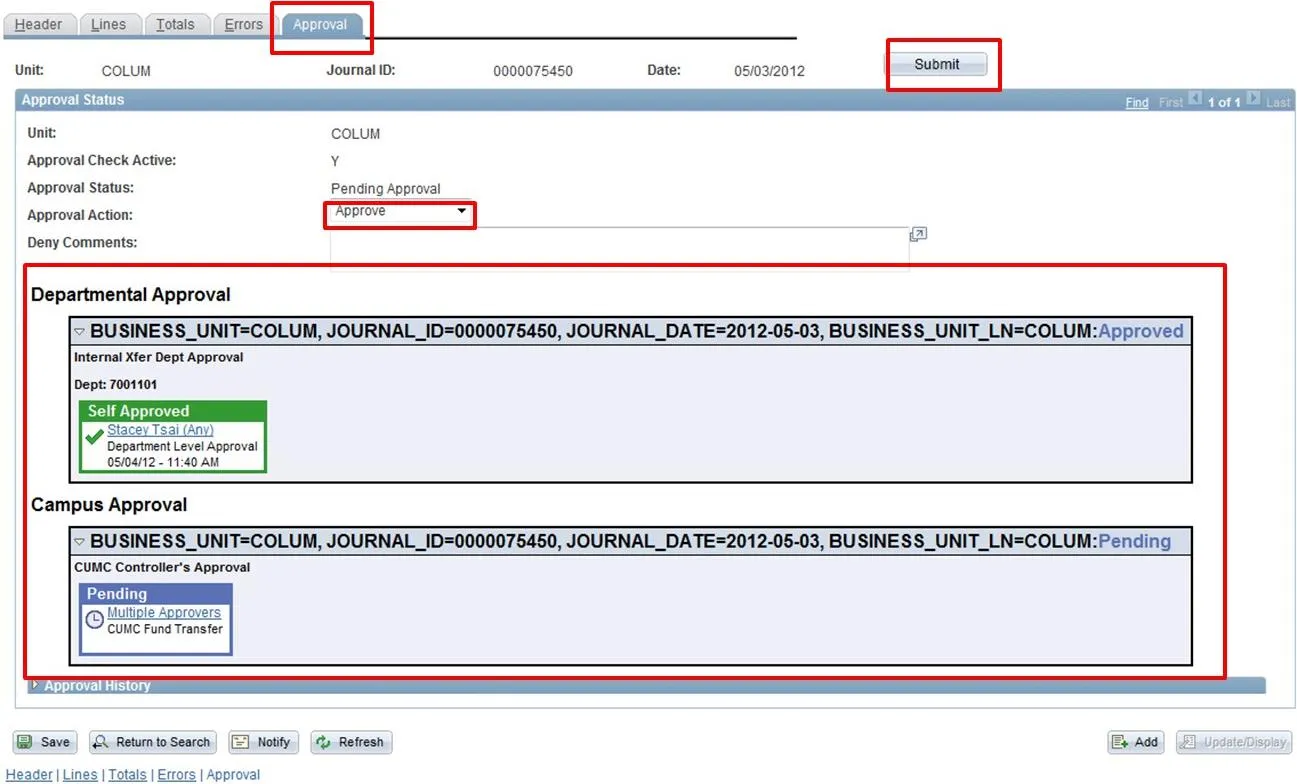
The link will take you directly to the entry that requires your action. In this case, the Journal approval page:
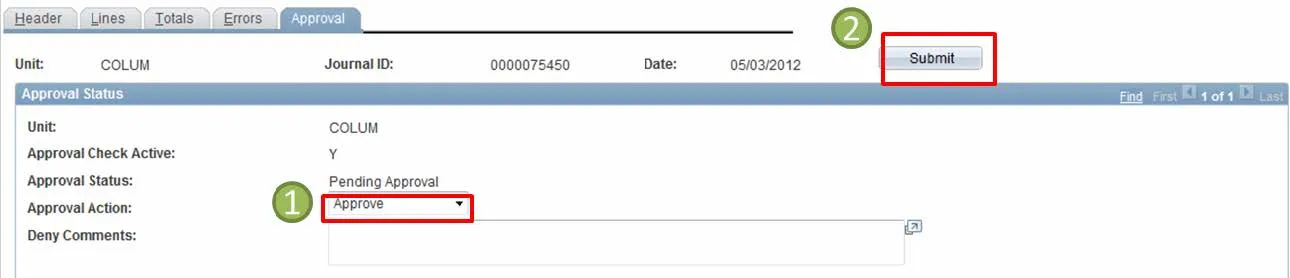
Once you have reviewed the entry and are ready to take action, select your approval action from the drop-down menu (‘Approve’ or ‘Deny’) and click the ‘Submit’ button.
To remove an item that you have already worked on from the Worklist, click on the ‘Mark Worked’ button:
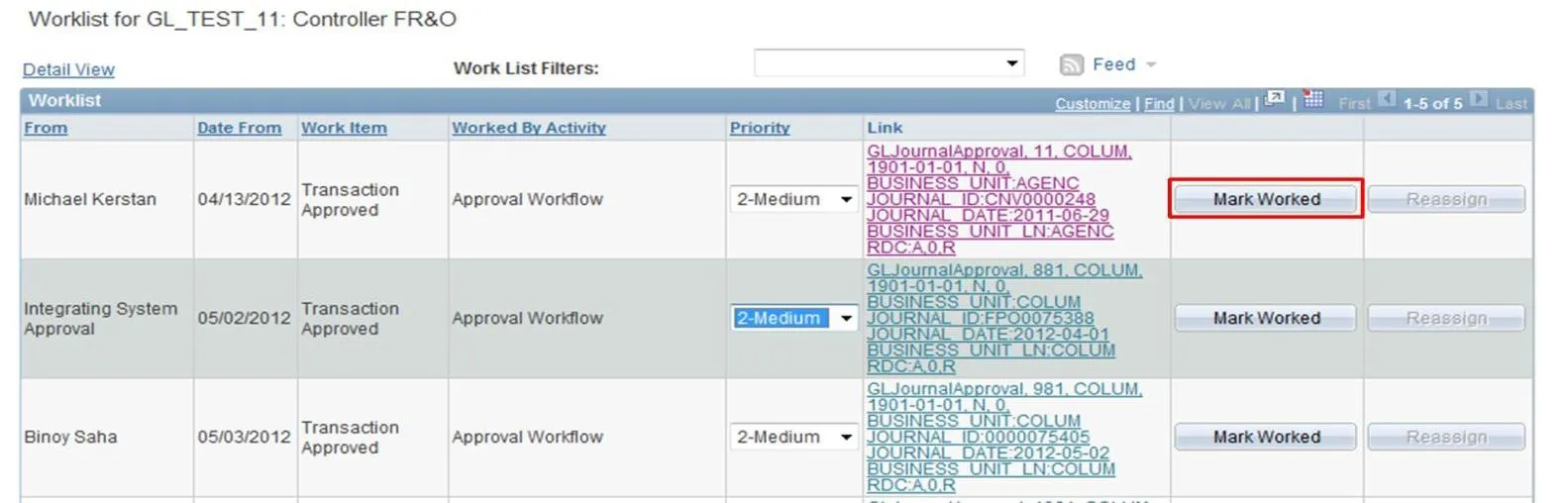
The item will no longer appear on your Worklist: