Running Manual Reconciliation
This job aid contains instructions on how to perform manual reconciliation.
Last Revision: December 2021
On occasion, you will need to perform manual reconciliation for P-Card transactions and wire and ACH transactions. P- Card transactions can be manually reconciled once at the end of every month and the other transactions should be evaluated daily to ensure all transactions are reconciled. The following process outlines how to manually reconcile transactions in ARC.
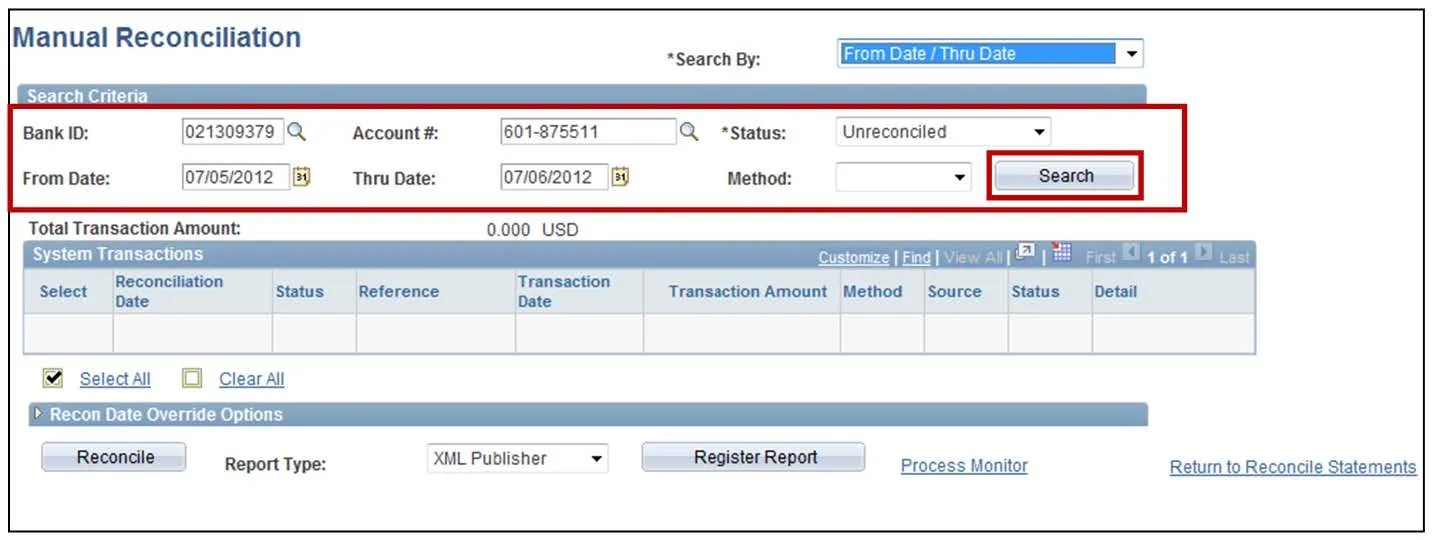
- Navigate to the NavBar > Reconcile Statements > Manual Reconciliation
- Select the appropriate Bank ID, Account #, and dates you want to view transactions for, and click “Search”
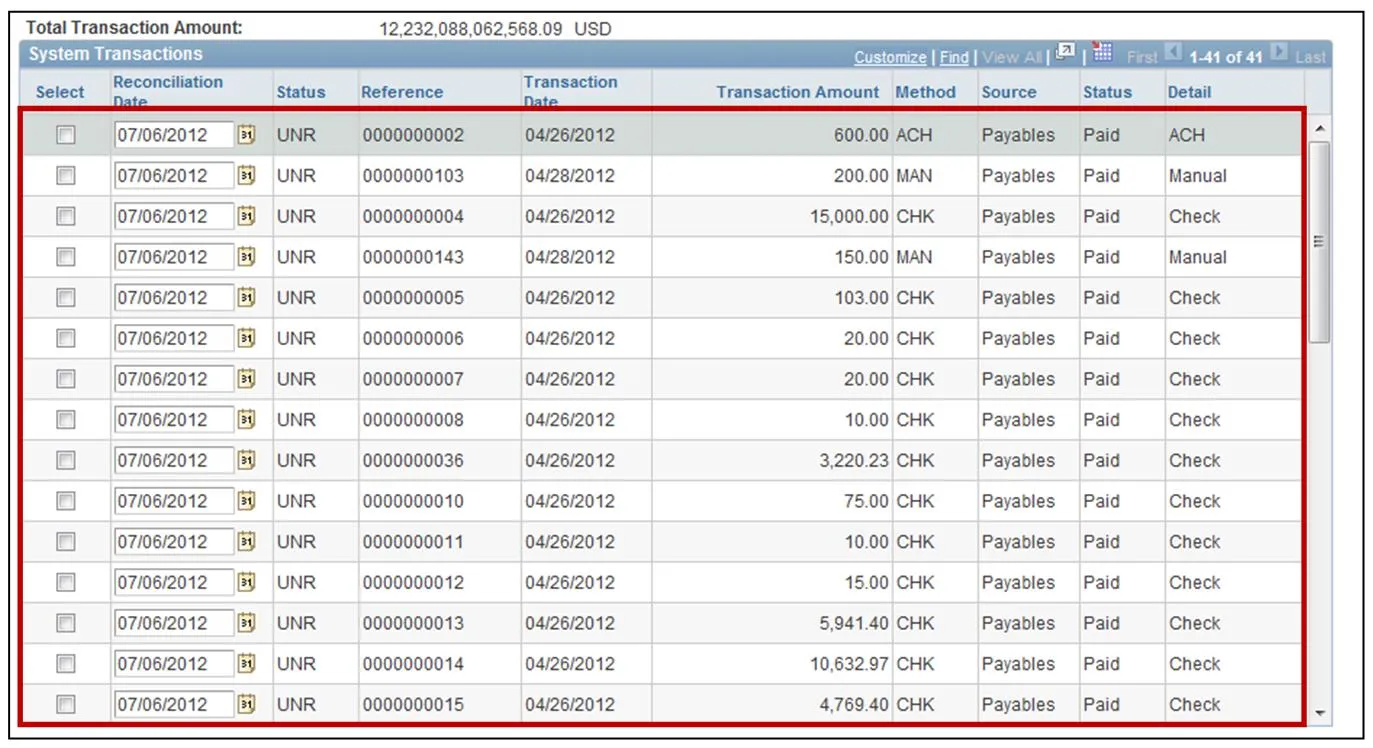
- The list of unreconciled transactions will appear. Select the transaction(s) you need to reconcile by checking the box next to the transaction and click “Reconcile”
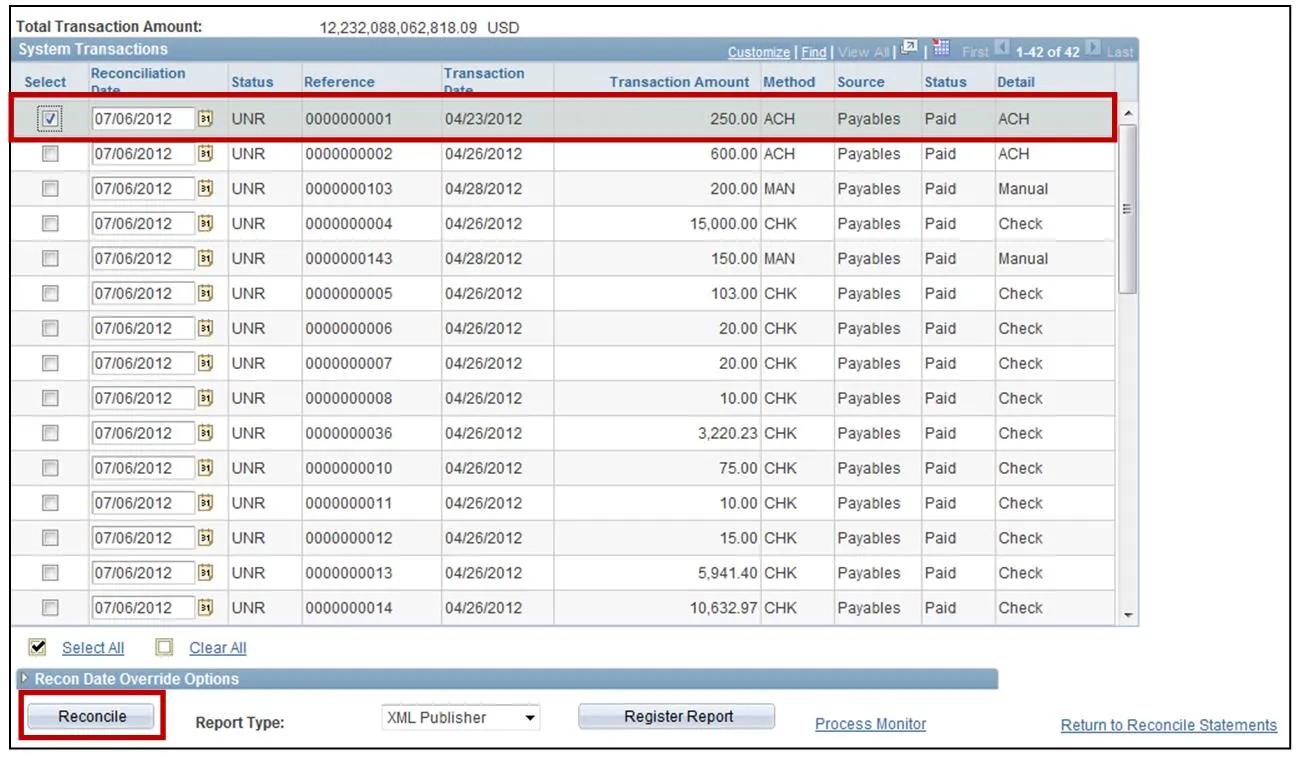
- Notice that the transaction disappears from the list after you click Reconcile.