Updating Your AP Reimbursement Method in PAC
You can view and update the method for how you receive Accounts Payable (AP) Reimbursements for travel and business expenses with this job aid.
Last Revision: July 2021
You can view and update the method for how you receive Accounts Payable (AP) Reimbursements for travel and business expenses.
Your AP Reimbursement method is related to your Direct Deposit settings for Payroll with one of the following defaults, which you can change as desired:
- If your Payroll is not setup with Direct Deposit, your AP Reimbursement defaults so you are paid by check.
- If your Payroll is set up with a single Direct Deposit account, your AP Reimbursement defaults so that you are paid using the same Direct Deposit account.
- If your Payroll is set up with multiple Direct Deposit accounts, your AP Reimbursement defaults so you are paid using the method marked as “Remaining Balance” in the Direct Deposit module.
Details
- Go to my.columbia.edu and log in using your UNI and password
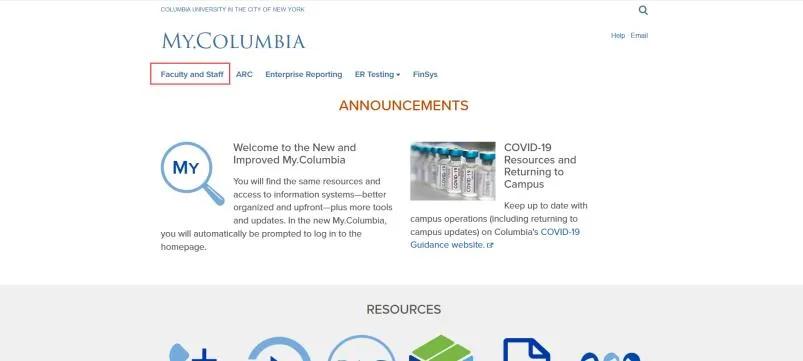
- Click the Faculty and Staff tab.
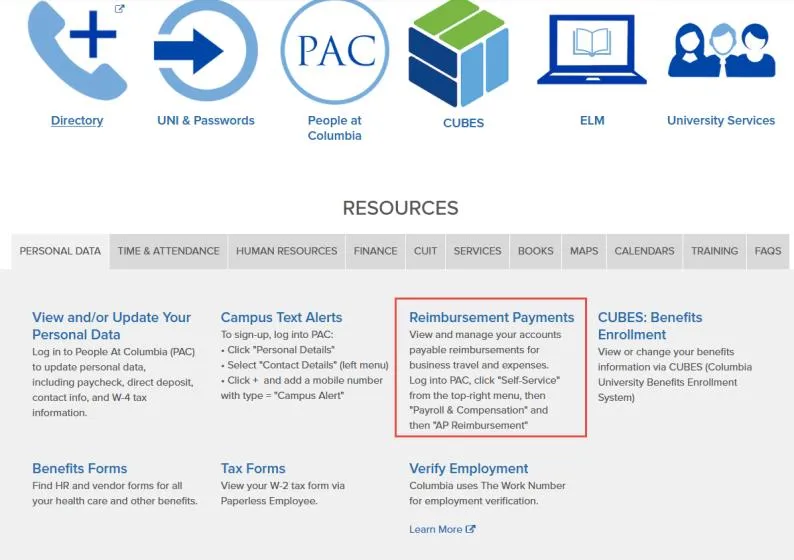
- Under the Personal Data tab, click Reimbursement Payments. The PAC Self Service Application appears.
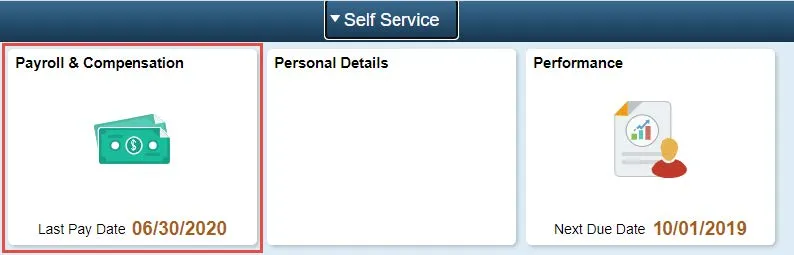
- Click the Payroll & Compensation tile. The Direct Deposit module within the Payroll & Compensation screen appears.
In this example, there are multiple Direct Deposit Accounts setup for Payroll. The account labeled “New Checking” is the account designated with Amount Percent as Remaining Balance and would be the initial default for AP Reimbursement.
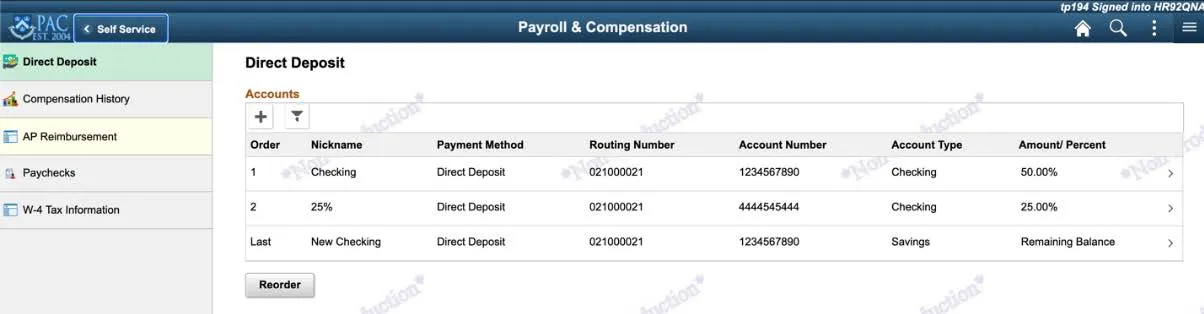
- Click the AP Reimbursement tab. The AP Reimbursement Payment Method module appears.
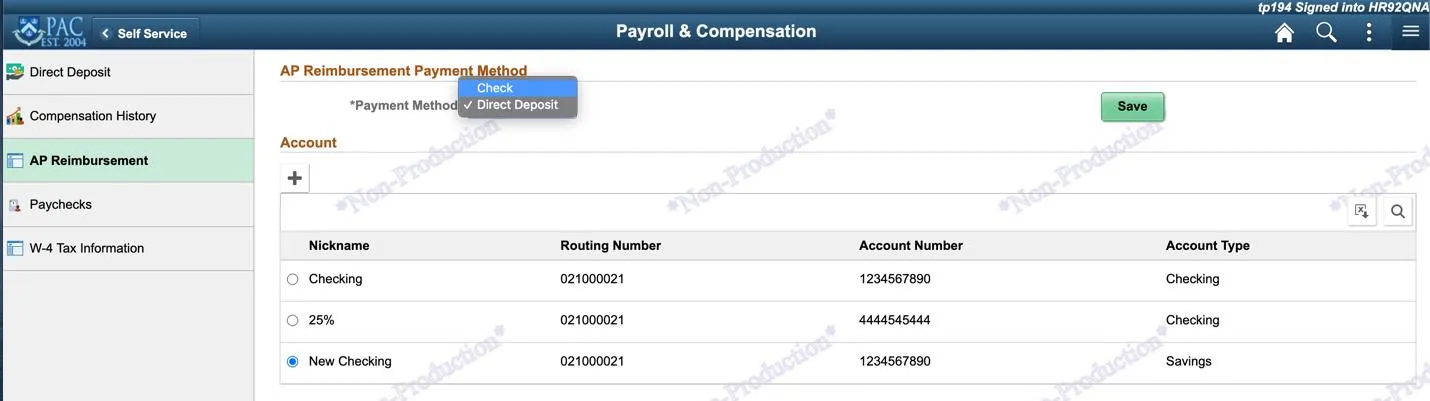
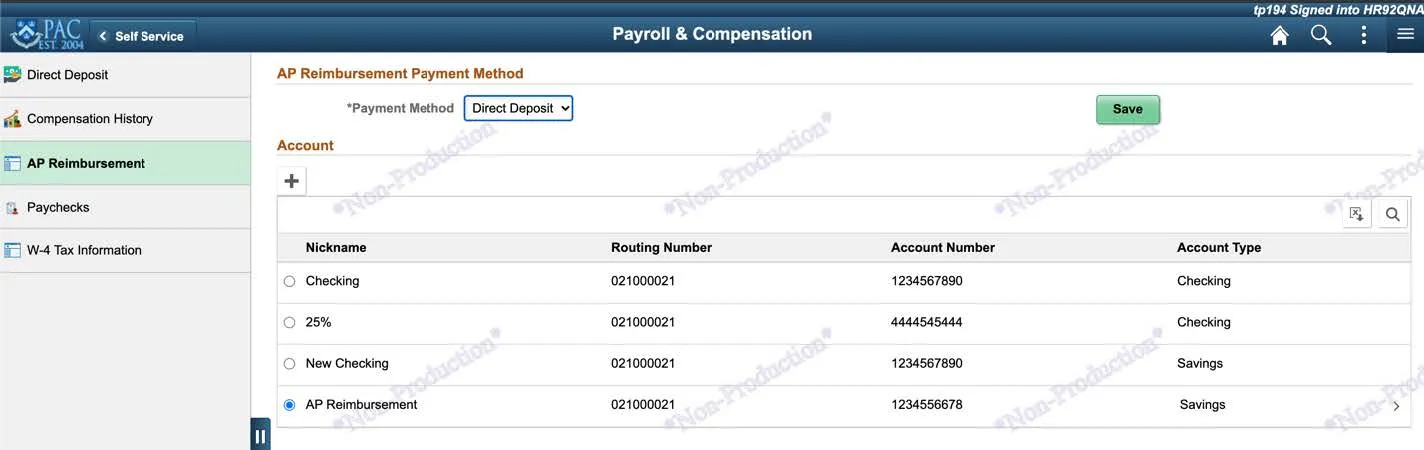
In the example below, notice that the radio button for the account labeled “New Checking” is selected and is the default AP Reimbursement Method.
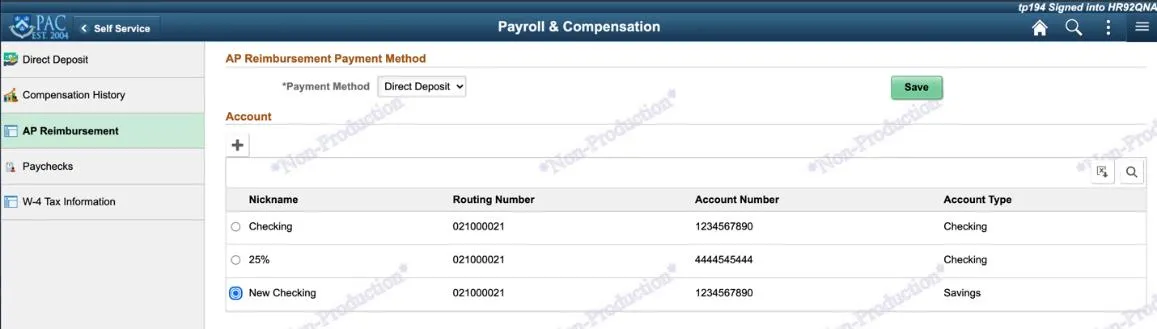
You can change the default AP Reimbursement Method either by selecting another Direct Deposit Account, adding a new Direct Deposit Account, or selecting to be reimbursed by check which will be sent to the mailing address in your PAC profile.
Selecting a Different Direct Deposit Account
If you have multiple Direct Deposit accounts listed in the AP Reimbursement module:
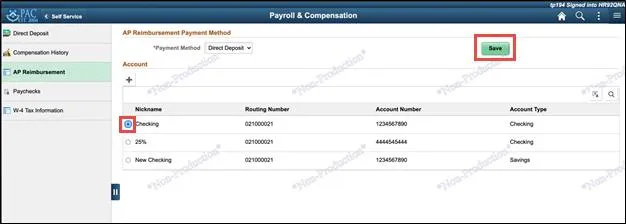
- In the AP Reimbursement module, click the radio button for the desired Account from the list of accounts.
- Click Save.
Adding a Direct Deposit Account for AP Reimbursement
If desired, you can add a new Direct Deposit Account to be used specifically for AP Reimbursement. This account will not impact your Payroll Direct Deposit Accounts.
- Click the Plus icon at the top of the Account list. The Add Account window appears.
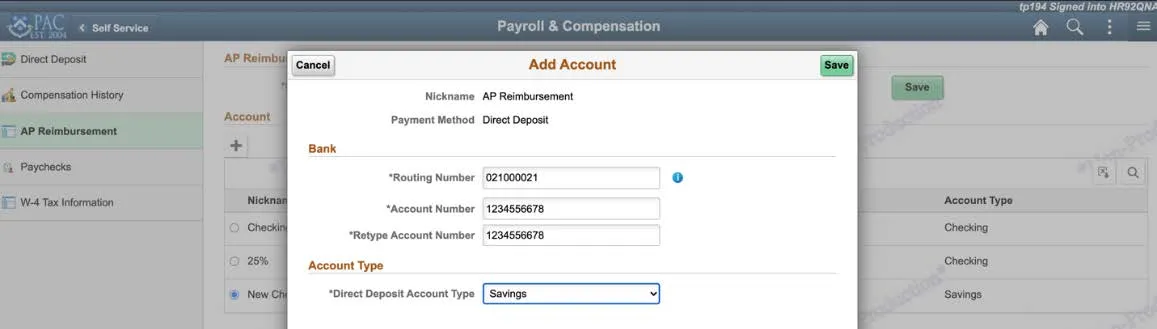
- Enter the bank Routing Number then enter your Account Number and Retype Account Number.
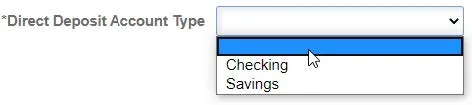
- Select the Direct Deposit Account Type from the dropdown.
- Click Save. The new account is added and selected as the default.
Selecting to Receive Checks for AP Reimbursements
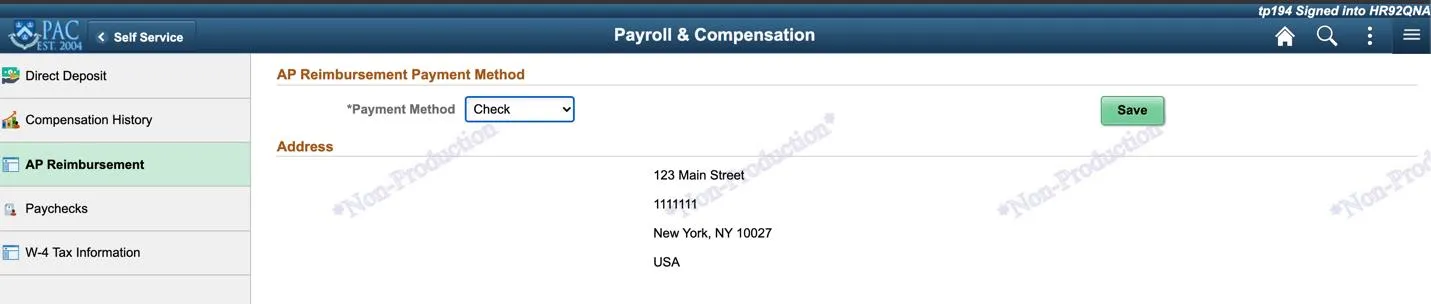
If do not wish to utilize Direct Deposit for AP Reimbursements, you can select to receive checks to be sent to the mailing address in your PAC profile.
- Select Check from the Payment Method dropdown. Your mailing address appears. To change your mailing address, navigate to the Personal Details module within the PAC Self Service application.
- Click Save.