Using Concur Travel to Arrange Travel to Sanctioned Countries
This Job Aid demonstrates the steps and the issues you should be aware of when you use Concur Travel to arrange travel to Sanctioned Countries.
Last Revision: April 2020
Using Concur Travel to Arrange Travel to Sanctioned Countries
- Log in to Concur, click the Travel tab and click Company Notes.
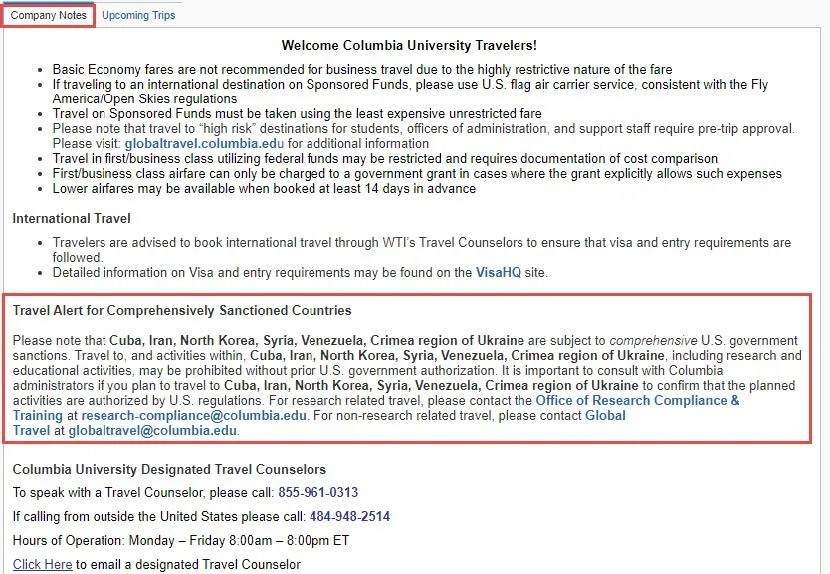
- Read the details in the section Travel Alert for Comprehensively Sanctioned Countries.
- Enter your Trip parameters which includes the destination (To) the Sanctioned location.
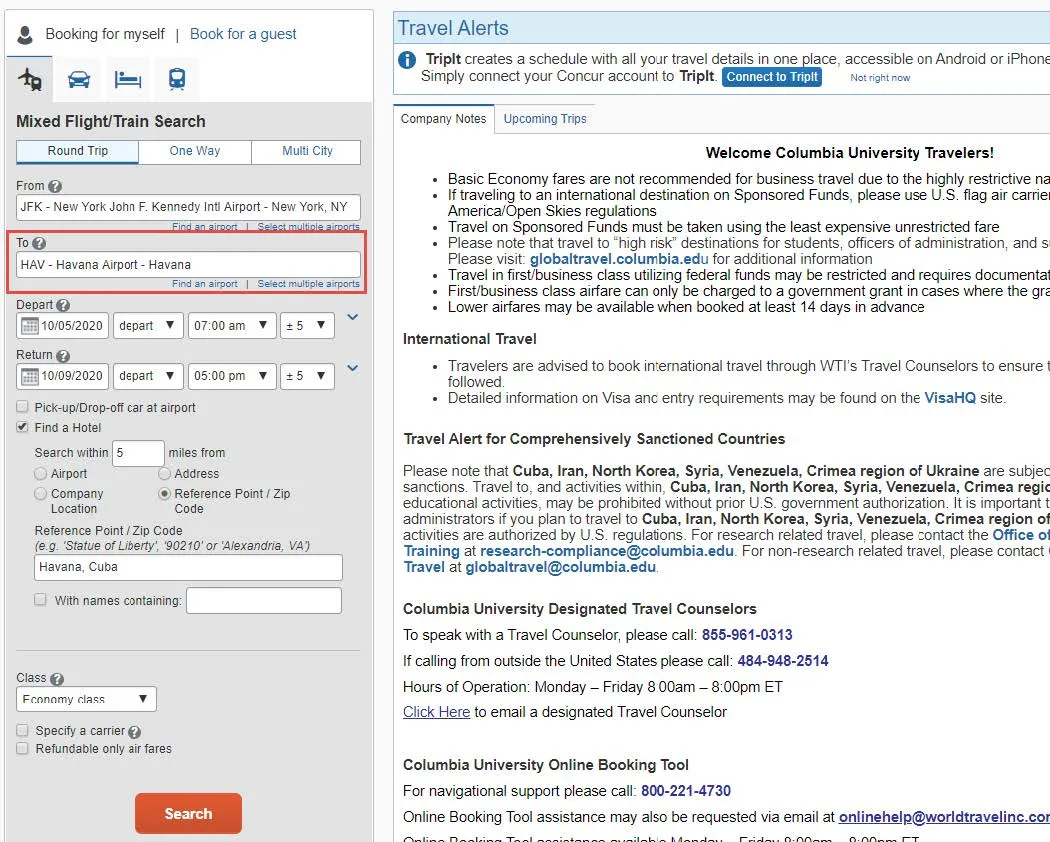
- Click Search. Your search results appear.
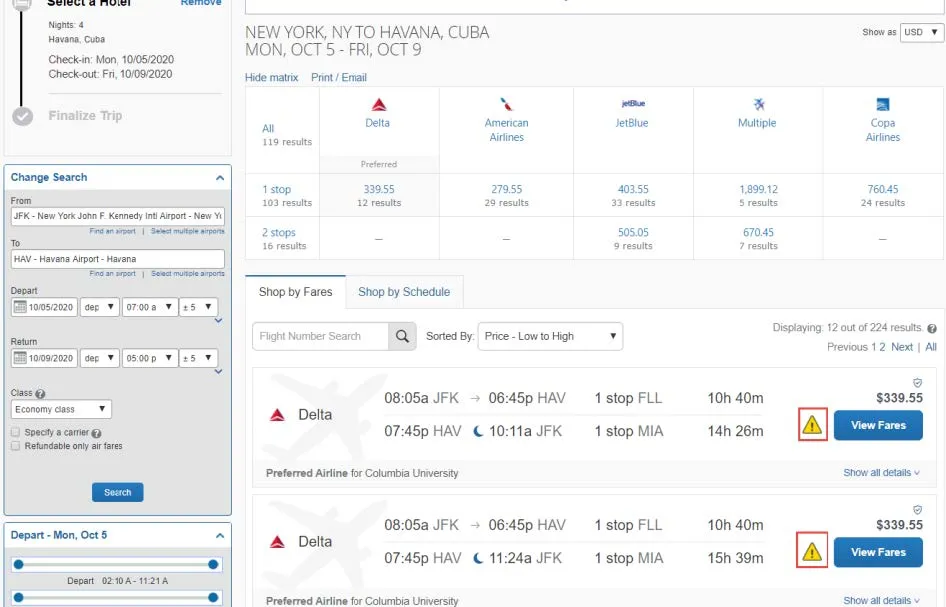
- Notice the Alerts displayed with the Fares. Click to view the Alert regarding sanctions.
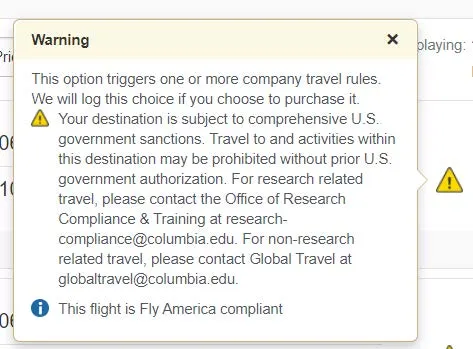
- If you click a Fare to reserve it, you must Choose a Reason that applies to your Trip.
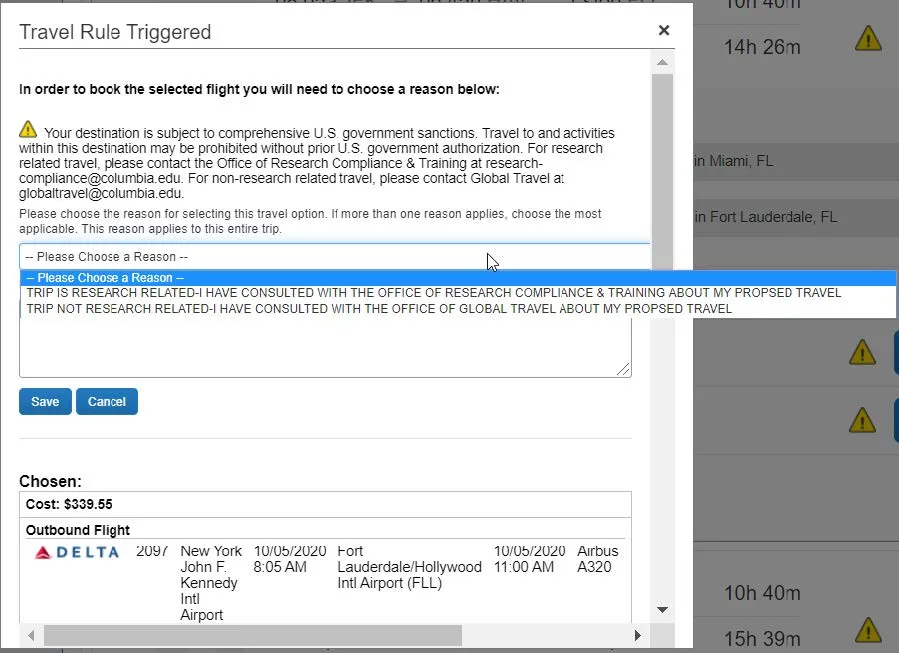
- Select the Reason, type additional notes, and click Save.
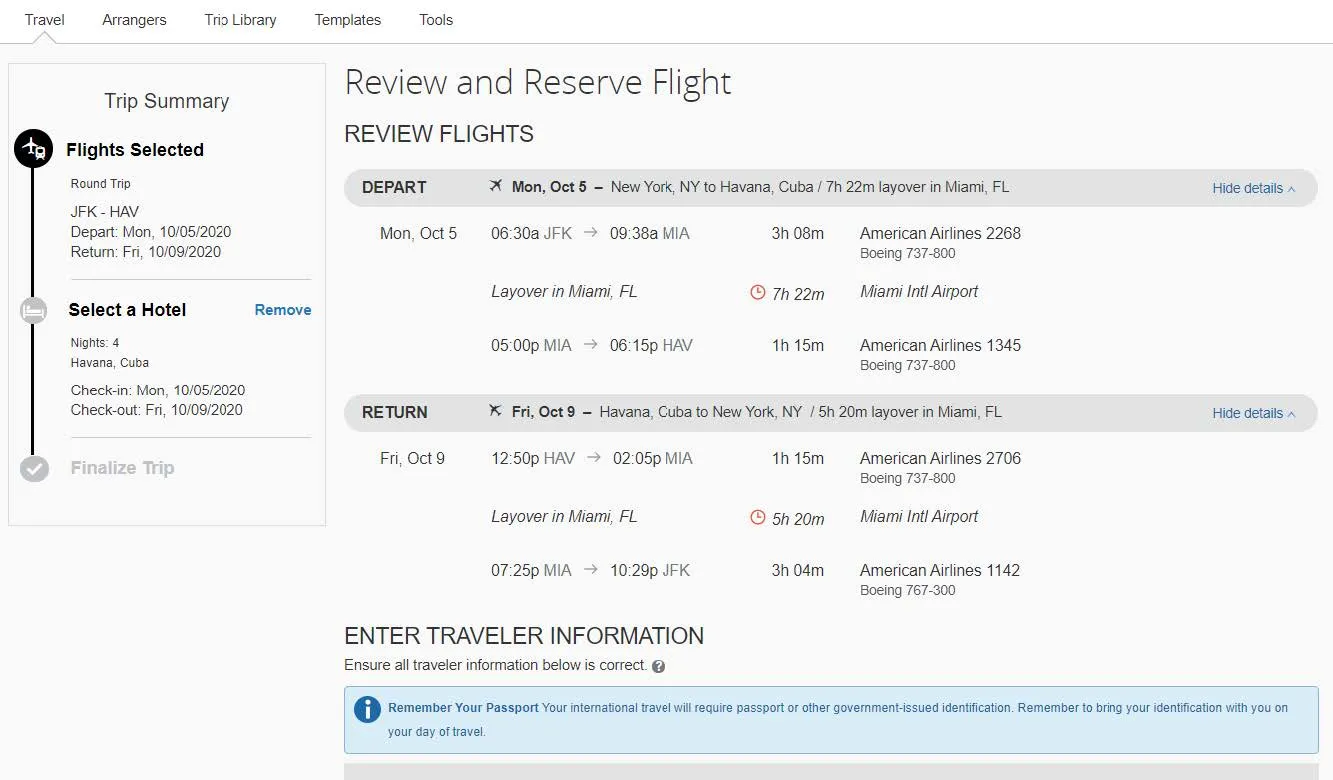
- Continue to Review and Reserve Flight and other Trip details and proceed through the steps to purchase your travel.
For Questions on Travel to Sanctioned Countries
- For Research related travel, please contact the Office of Research Compliance & Training at [email protected].
- For Non-research related travel, please contact Global Travel at [email protected].