What is it?
When on the checkout screen for your CU Marketplace Cart, Requesters must ensure the Accounting Code (ChartString) information is complete and correct before submitting as a Requisition into approval workflow. Shoppers have the option to enter this information but are not required to do so.
If ChartString information is not complete, you must enter it before checking out. If you created default values in your Profile (refer to the Modifying Profile Settings in the CU Marketplace job aid), those values will be populated with that information.
Viewing a Requisition to Update Accounting Codes (ChartString)
In order to update the ChartString (Accounting Codes), you must proceed to Checkout in order to view the Requisition screen.
On the Shopping Cart page, click the Proceed to Checkout button. The Checkout screen appears.


Updating Accounting Codes (ChartString) at Checkout
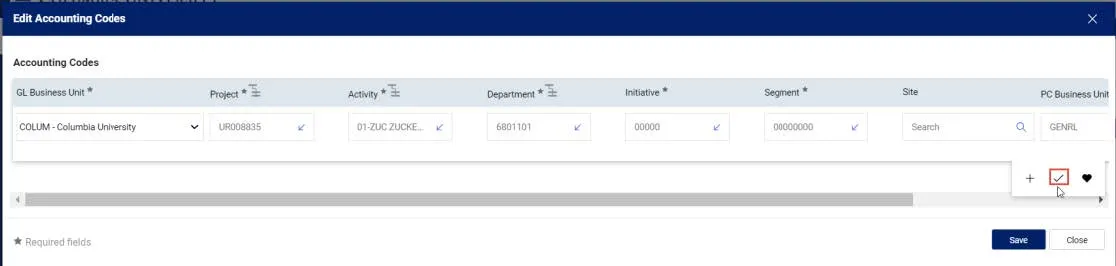
- On the Checkout screen, click the Edit icon for Accounting Codes. The Edit window will appear. It will display the default or populated ChartFields.

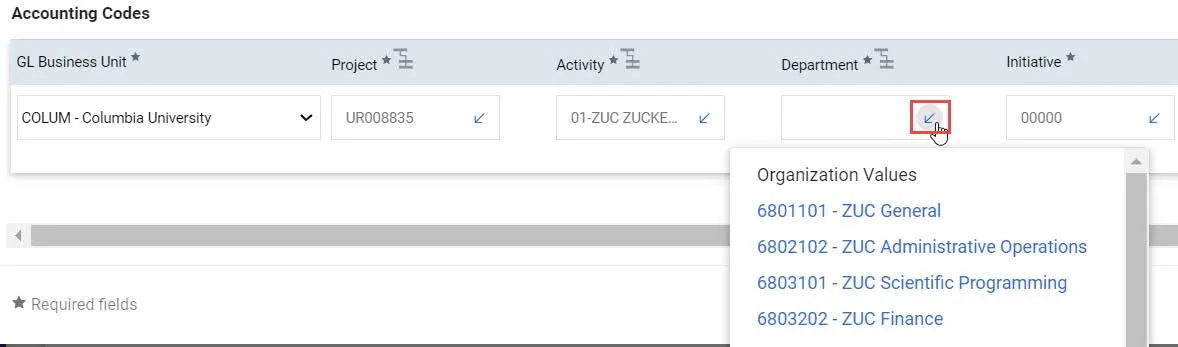
- Update the ChartFields as needed. ChartFields must be entered in order left to right as the available values are dependent on the value in the previous field. Click the Dropdown arrow in the field you are populating to view the available values and select the matching value.
- Click the Validate icon to ensure your ChartFields were entered correctly. If you corrected a ChartField and it still appears as Required , click the Validate icon again. You can click the Add Split icon to add an additional ChartString line and indicate a percent distribution. Please note Jaggaer will enhance the functionality to allow a dollar amount split in a future release. You can click the Code Favorites icon to select a favorite ChartString you created in your Profile.
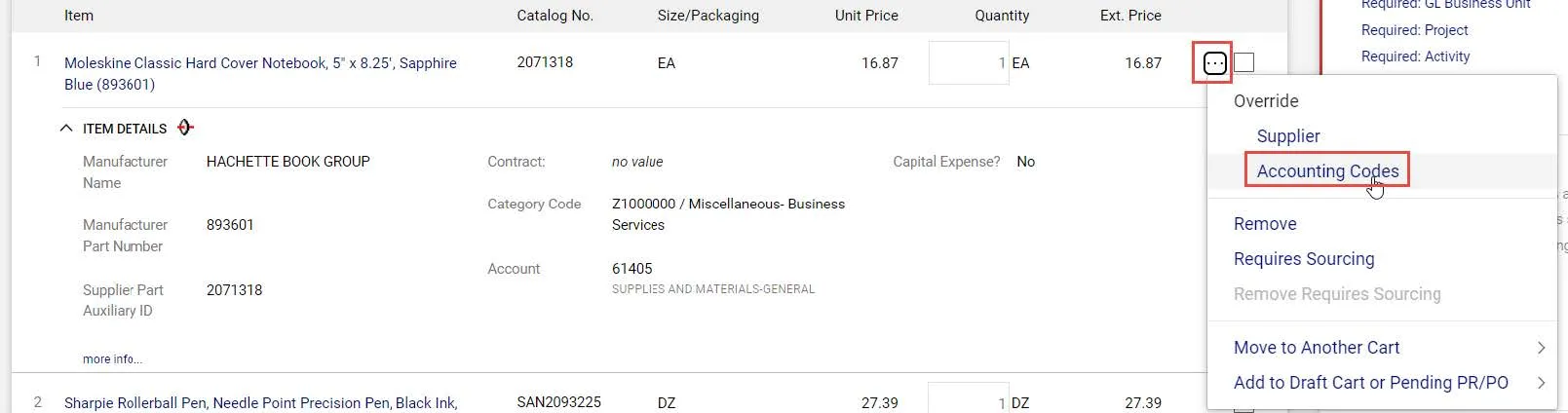
- Click the Save button. Each item in your Cart can also be updated with different ChartStrings. Click the Line Item Actions icon for the item and select Accounting Codes.