What is it?
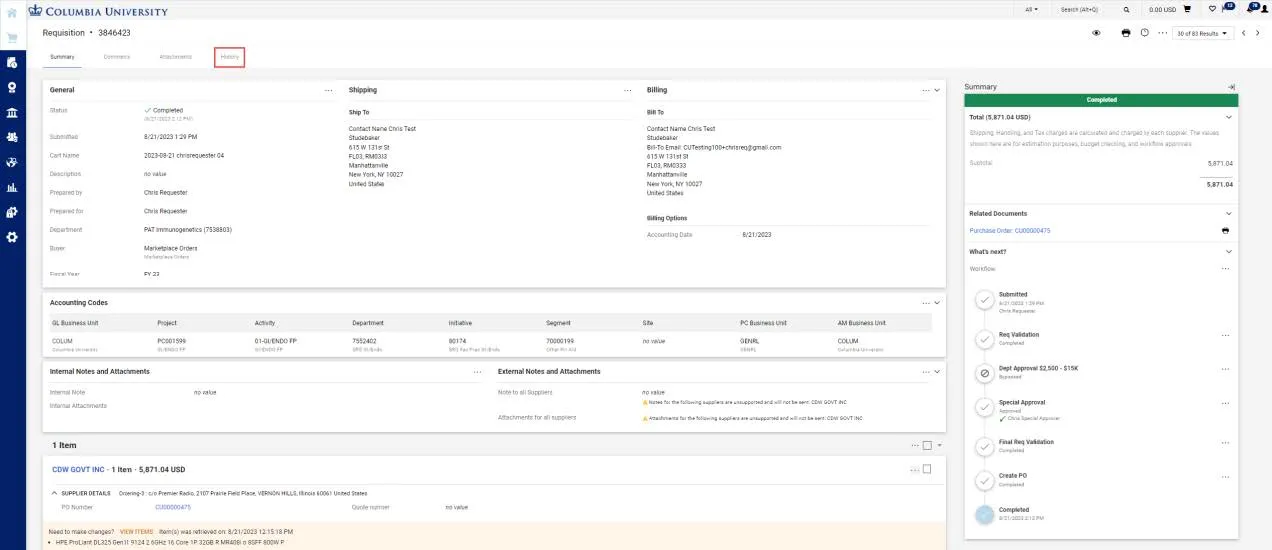
After you submit your CU Marketplace Cart as a Requisition, you can open the Requisition, either in the Summary pane or from within the History tab, to view the approval workflow status.
Viewing Requisition (or Purchase Order) Status
- Navigate to the Shop icon > My Carts and Orders.
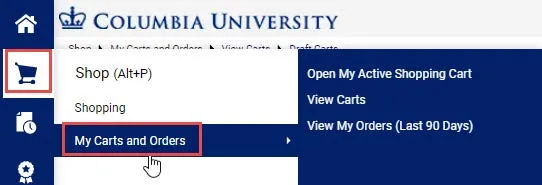
- Click View My Orders (Last 90 Days). The My Orders screen displays a table listing the Requisitions you have submitted and their status. You can view Requisitions for a different time period by clicking the down arrow next to Last 90 Days and modifying the selection criteria, if needed.

- Click a Requisition Number to view the Requisition page. The Summary Pane on the right-hand side will display the approval workflow status.
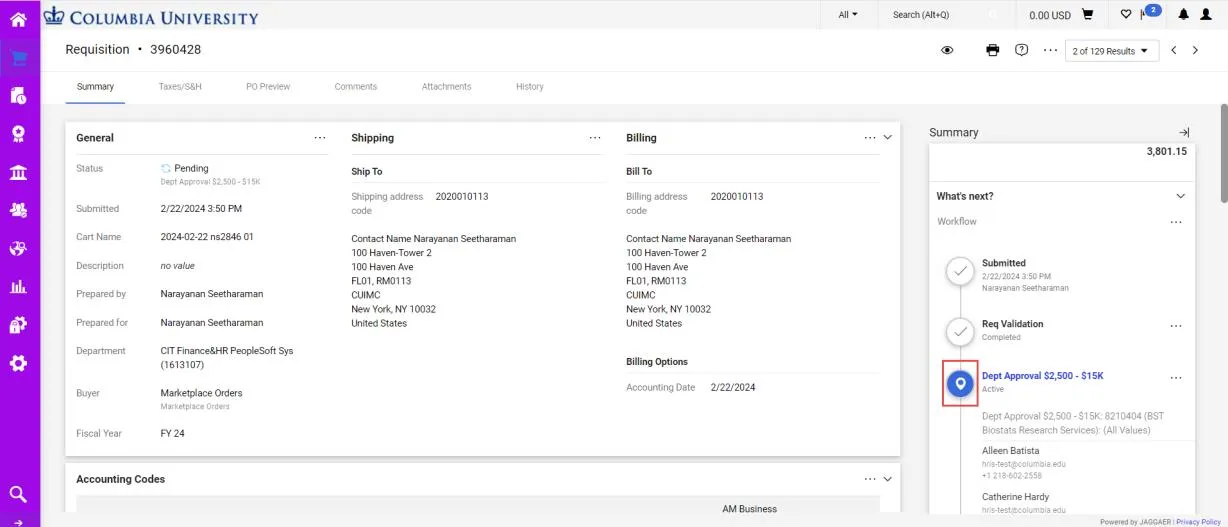
If the Requisition is still awaiting Department Approval for any dollar threshold, you can click the icon to view the approvers. If you need to notify approvers about your Requisition, refer to the tip on how to Add Comments to CU Marketplace Requisitions to Notify Requesters and Approvers.
If the Requisition status is complete, you can click the Purchase Order Number under Related Documents to display the Purchase Order page and view the status of the Purchase Order.
Viewing Requisition History
If your Requisition was automatically returned, or you received notifications or alerts regarding the Requisition, you can use the History tab to display the complete history of the Requisition
Click the History tab. The History tab displays what was modified, the action, by whom, the date and time of the action, and other information or notes. If a Requisition was returned or other actions occurred that affected the processing of the Requisition, the Note will provide details.