CU Marketplace Pro Tip: Use the New Search Mode on the Contracts Page
What is it?
To view all Contracts in the CU Marketplace, go to the Contract Search page. The page initially opens in Classic search mode, where you must enter search parameters to see results. You can switch to the New search mode, which automatically displays all available Contracts and offers a consistent experience with other Marketplace search pages.
Viewing the New Search Contracts Page
1. From the CU Marketplace Welcome page, click the Contracts tile.
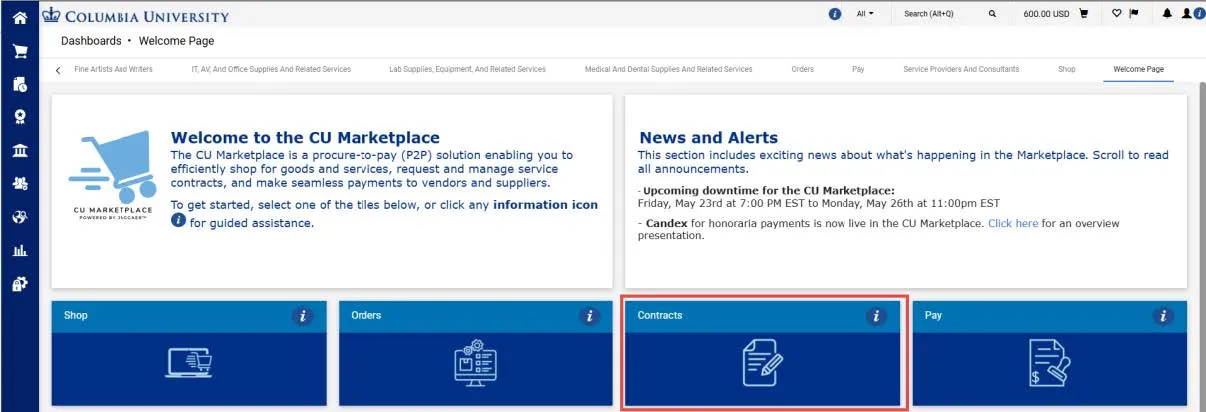
The Contracts dashboard appears.
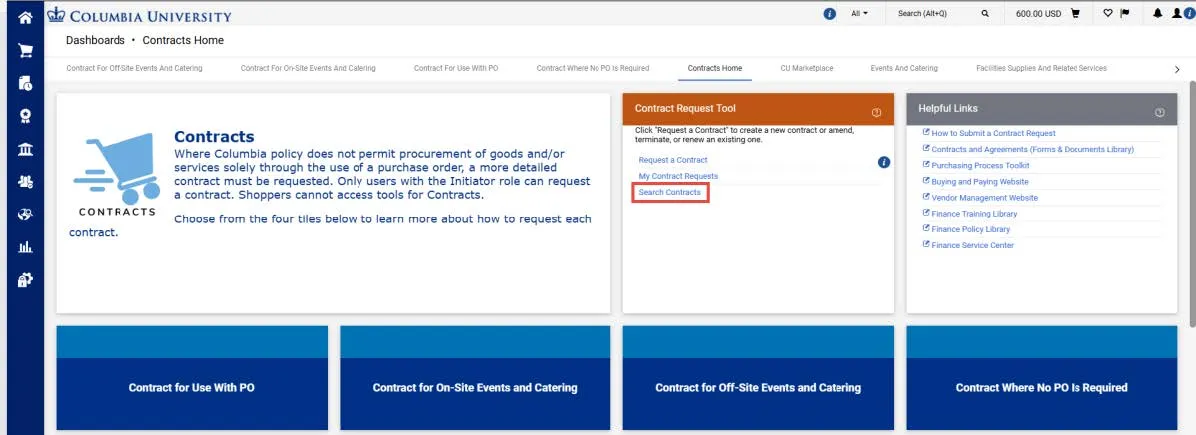
2. From the Contract Request Tool section, click the Search Contracts link. The Search Contracts page initially displays the Classic search.
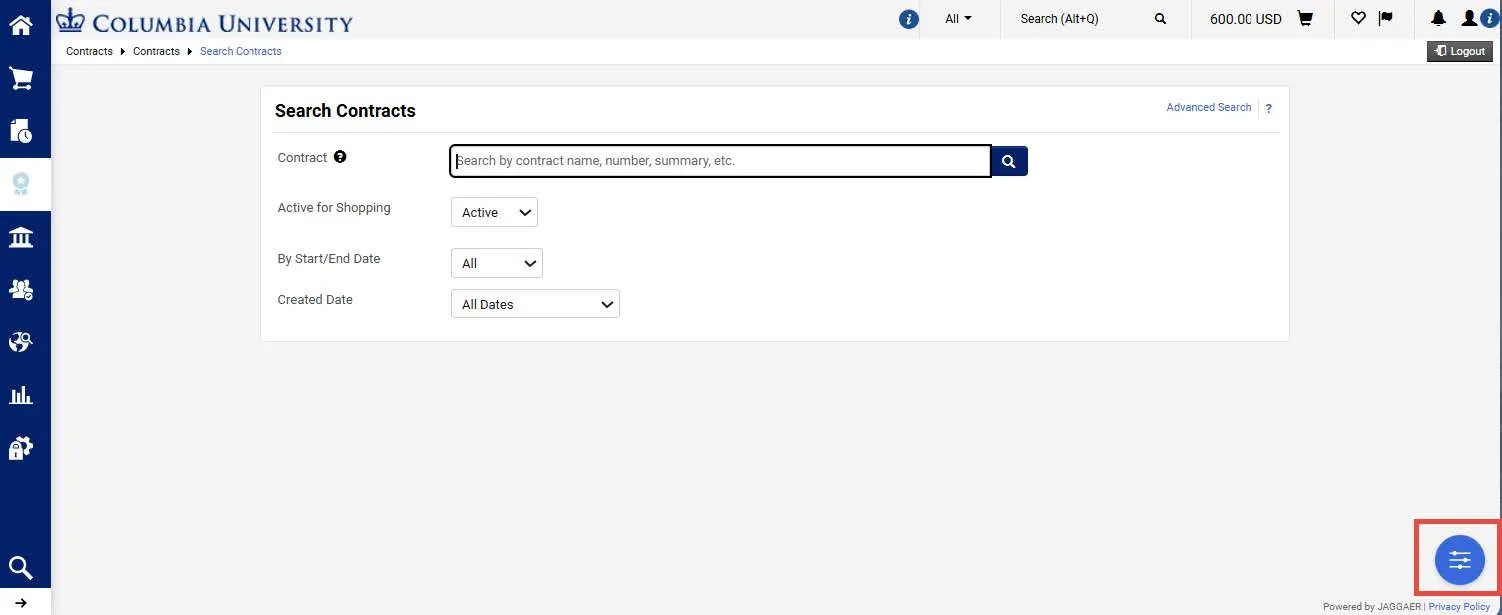
3. Click the toggle icon in the lower right of the screen to Choose your experience.
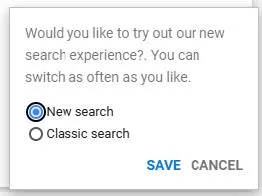
4. Select New search and click Save. The New search page displays showing your Contracts.
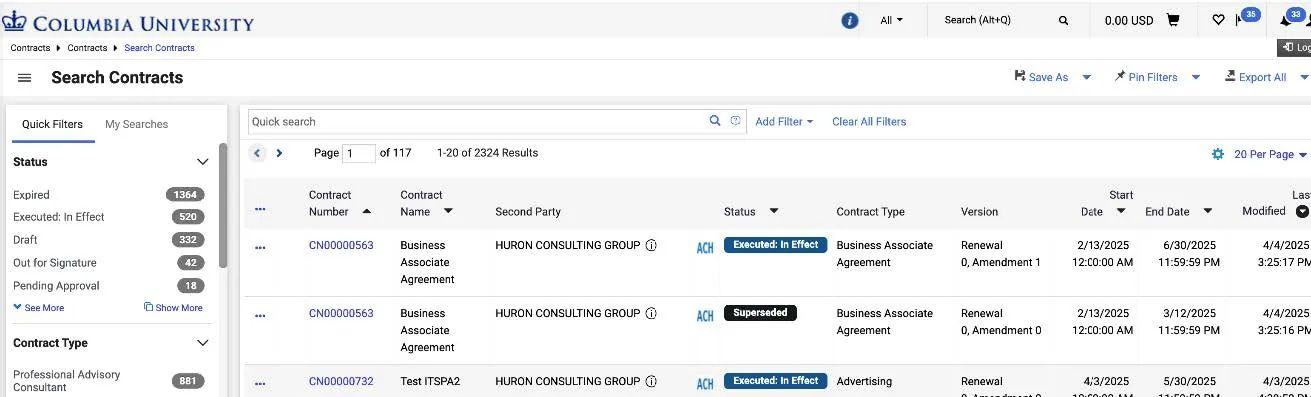
Use the CU Marketplace search page features to locate desired documents. Refer to the Searching for Documents and Running Reports in the CU Marketplace Training Guide to learn about these features.