CU Marketplace Tip: Updated Uniform Guidance Thresholds and a New Resource to Assist You With Procurement Transactions
What is it?
Effective July 1, 2026, we're introducing two updates designed to make your procurement process more efficient.
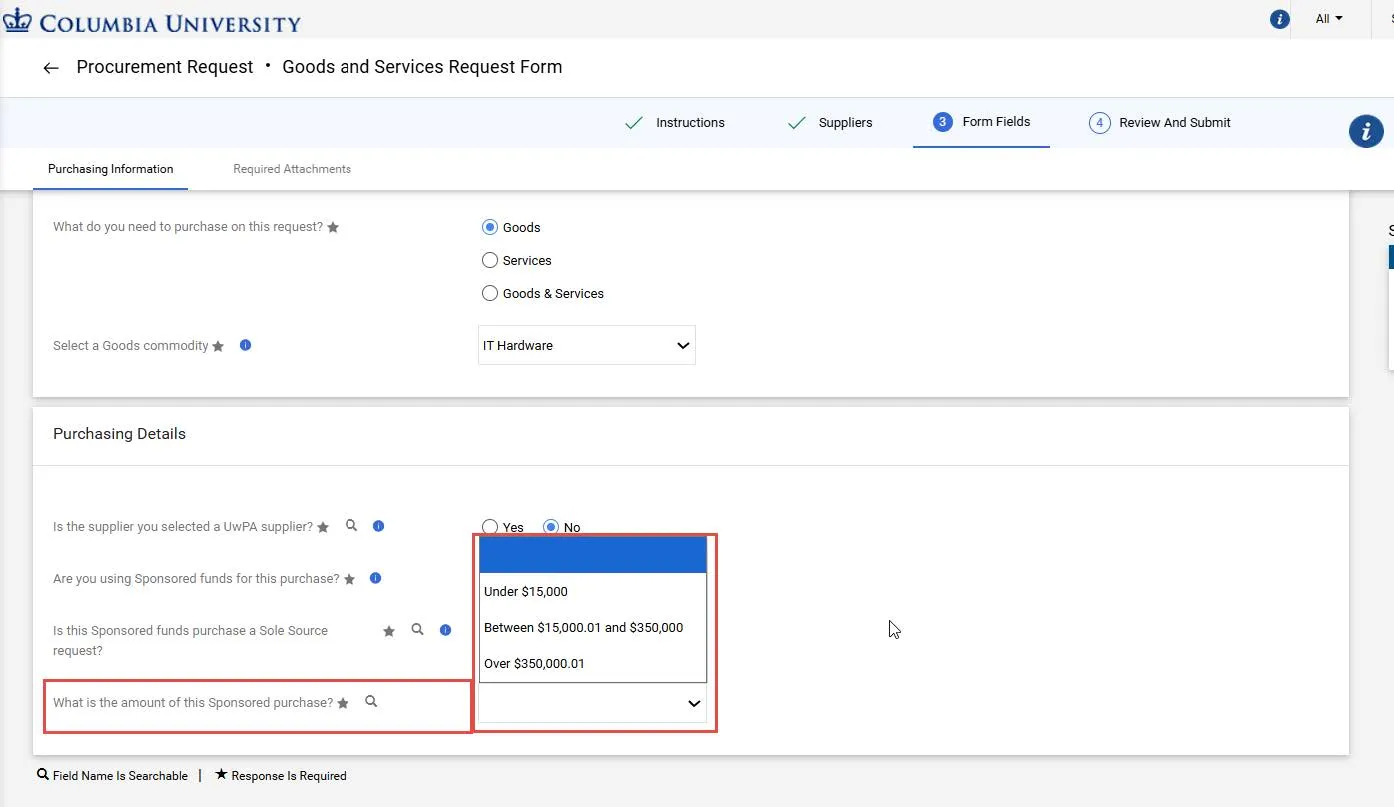
Updated Uniform Guidance thresholds are now live in the Goods and Service Request Form within the CU Marketplace.
In addition, a new Procurement Requirements Dashboard is available to help you determine the right procurement mechanism (P-Card, Corporate Card, CU Marketplace, etc.), Commodity Codes and Accounts, and what documentation you will need before you get started. This dashboard is a one stop shop for information previously found in the Commodity Code Matrix and Procurement Mechanism guide.
Updated Uniform Guidance Thresholds
These thresholds are for both Sponsored and Non-Sponsored purchases:
When you are completing the Goods and Services Request Form in the CU Marketplace, the Purchasing Information section contains a dropdown where you select the dollar range of your purchase. This selection is a factor in determining the documentation you may need to upload in Required Attachments.
The Procurement Requirements Dashboard
The new Procurement Requirements Dashboard helps you make smarter purchasing decisions. The Dashboard is accessible from the Helpful Links section while shopping in CU Marketplace, as well as from the Columbia Procurement website under the Buying or Paying menus.
Simply select the attributes of your purchase to:
- Identify the correct Commodity Code and Natural Account for Requisitions or Vouchers.
- Determine the available Procurement Mechanism options under the How to Buy and How to Pay sections.
- Check the General Requirements to see if special approvals or a Contract is needed.
- Confirm the Document Requirements you’ll need to upload with your transaction.
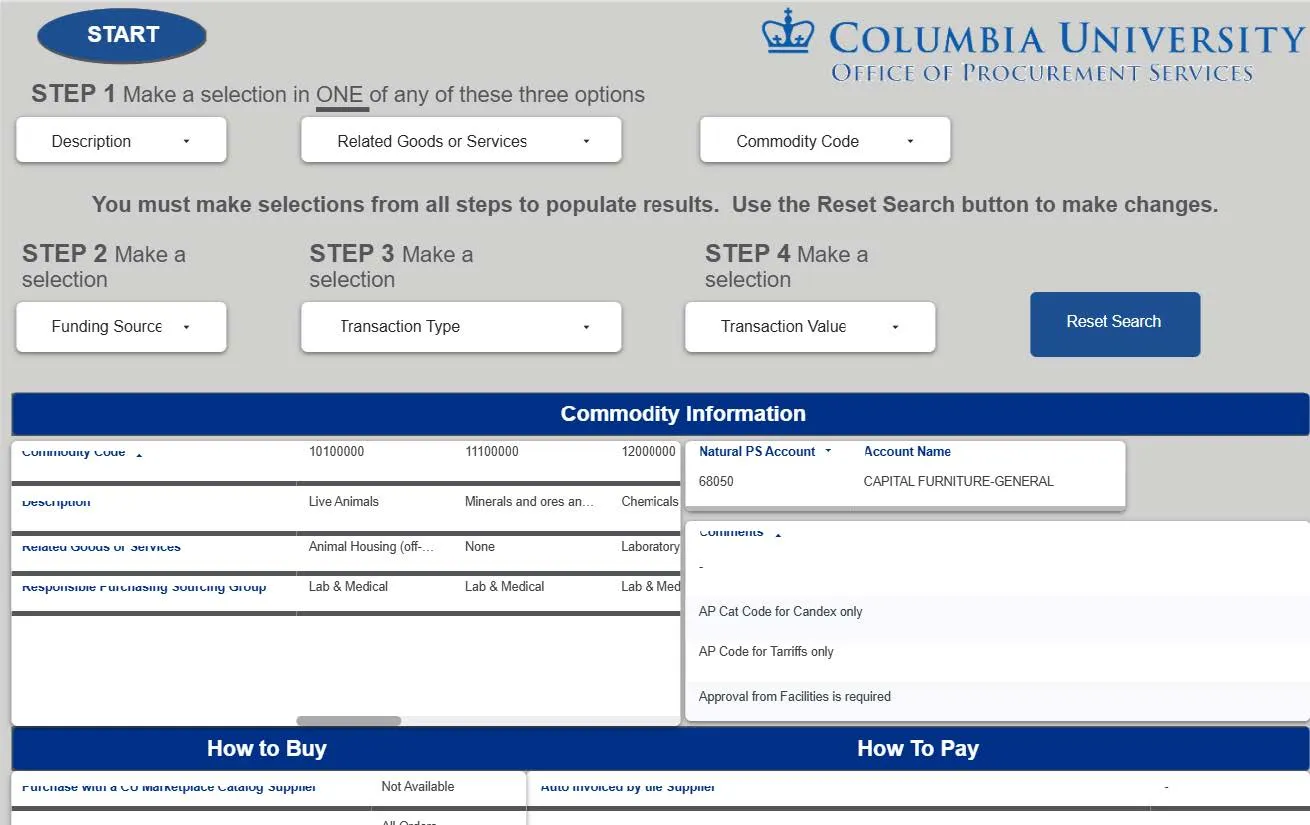
While much of this information is available as you complete the Goods and Services Request Form in the CU Marketplace, the Dashboard lets you review your procurement mechanism options and documentation requirements before you begin.
Where Do I Get Help?
View previous CU Marketplace Tips as well as the CU Marketplace Tips and Best Practices webpage.
Please contact the Finance Service Center.
You can log an incident or request a service via Service Now.