CU Marketplace Tip: How do I access converted ARC Purchase Orders in the CU Marketplace
What is it?
As of June 30, 2025, all affirmed Purchase Orders in ARC have been converted to the CU Marketplace. You can now view and access these converted Purchase Orders directly within the Marketplace. When you receive invoices related to these POs, you should create and submit PO Vouchers in the Marketplace accordingly. Please note: Change Requests cannot be submitted for converted Purchase Orders. If changes are needed, you must submit a new Requisition to generate a new Purchase Order.
Viewing Converted ARC Purchase Orders in the CU Marketplace
1. From the CU Marketplace Welcome page, click the Orders tile.
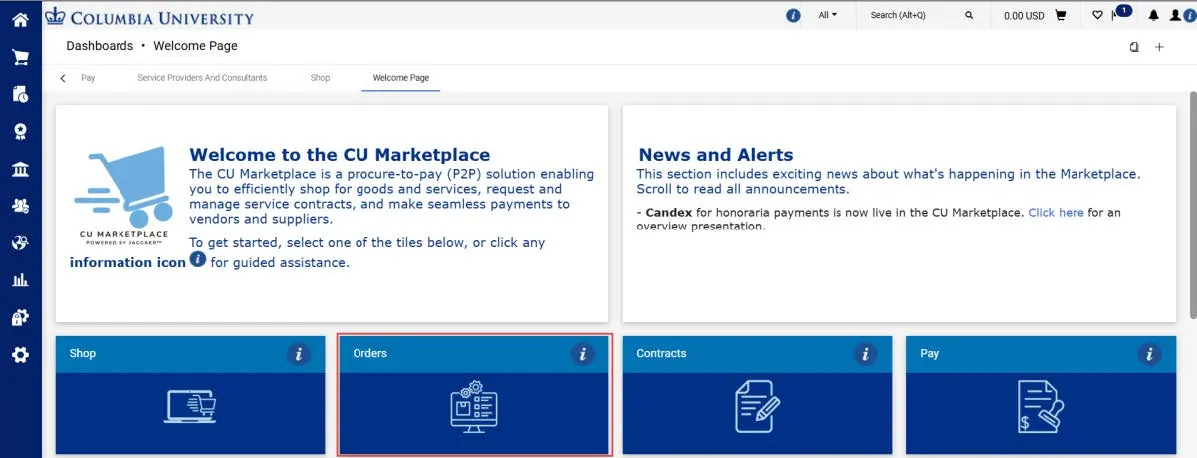
The Orders dashboard appears.
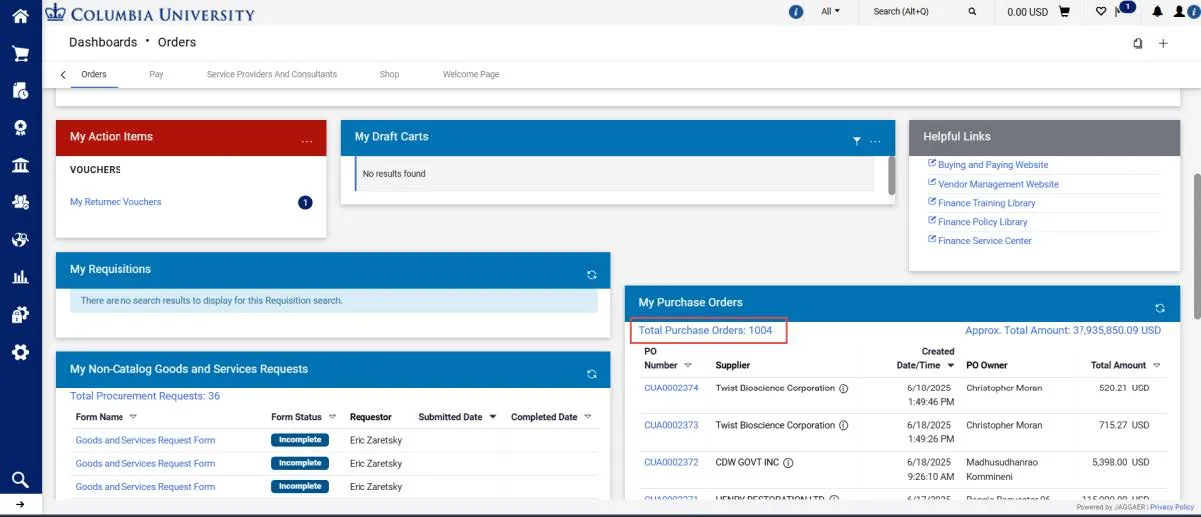
2. Scroll down to view the My Purchase Orders dashboard and click the Total Purchase Orders link. The Search Purchase Orders screen appears.
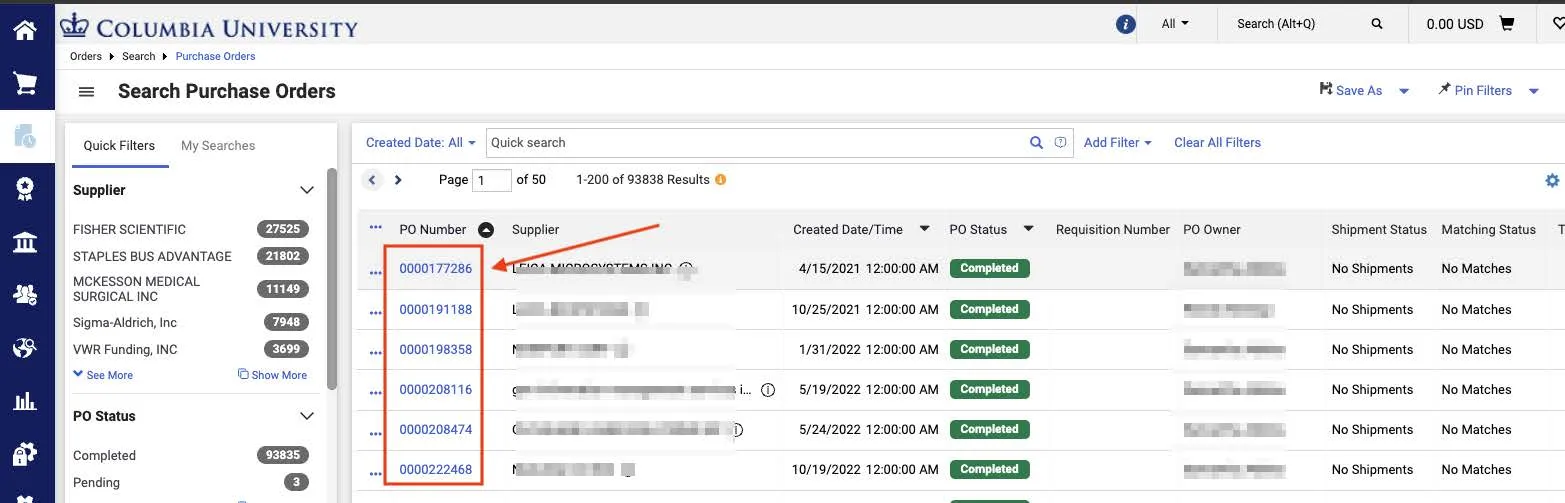
- PO Numbers that begin with a 0 are those that were converted from ARC.
- Those that begin with the letter G are converted SAPO’s.
- All other Purchase Orders displayed that do not begin with a 0 or G are those created in the CU Marketplace. Click the column heading to sort the data in ascending or descending order.
3. Click the PO Number for the Purchase Order you want to view. The Purchase Order document page appears.
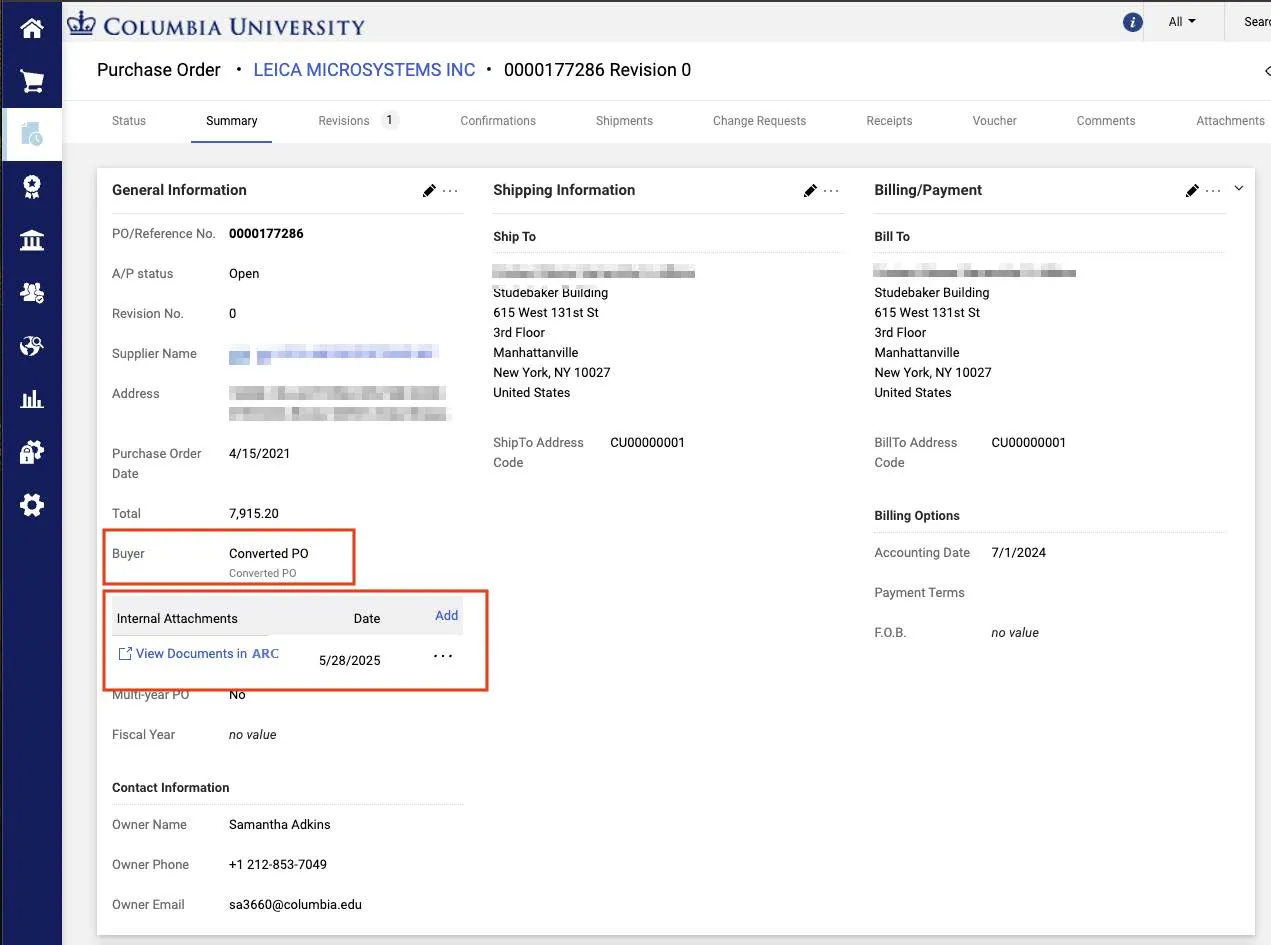
The Buyer field indicates if it is a Converted PO from ARC. Click the View Documents in ARC link to view Internal Attachments associated with the Purchase Order.