CU Marketplace Tip: How do I access Vouchers I submitted for approval and Draft Vouchers not yet submitted for approval?
What is it?
To view Vouchers you have submitted into workflow for approval, navigate to the Orders dashboard. From there, you can open the desired Voucher to view the approval status or add Comments to request that the Voucher be returned to you by the Approver for editing. To access Draft Vouchers not yet submitted for approval, use the Navigation menu on the left of the screen. From there, you can open the desired Voucher to continue editing and then submit it into approval workflow.
Viewing Your Vouchers Already Submitted for Approval
1. From the CU Marketplace Welcome page, click the Orders tile.
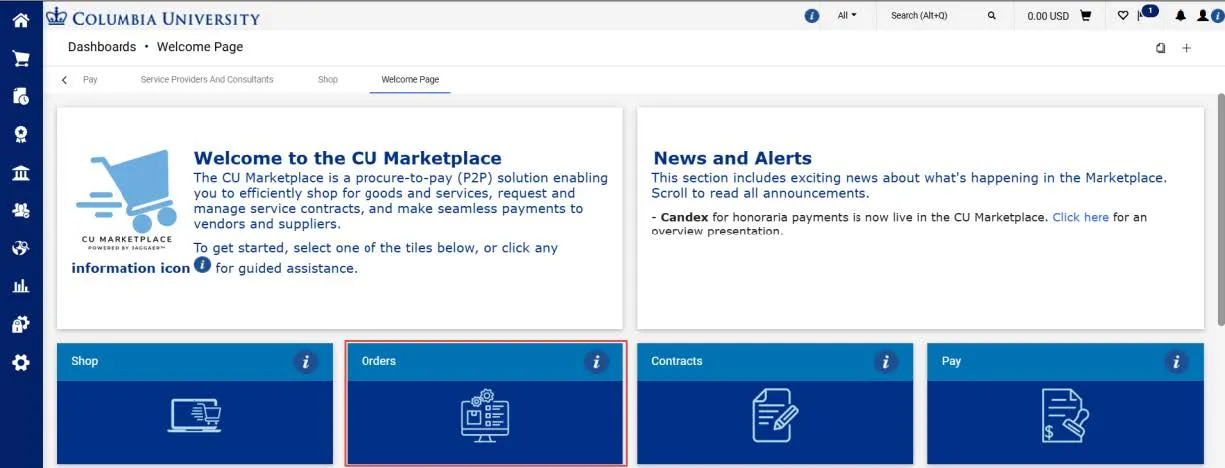
The Orders dashboard appears.
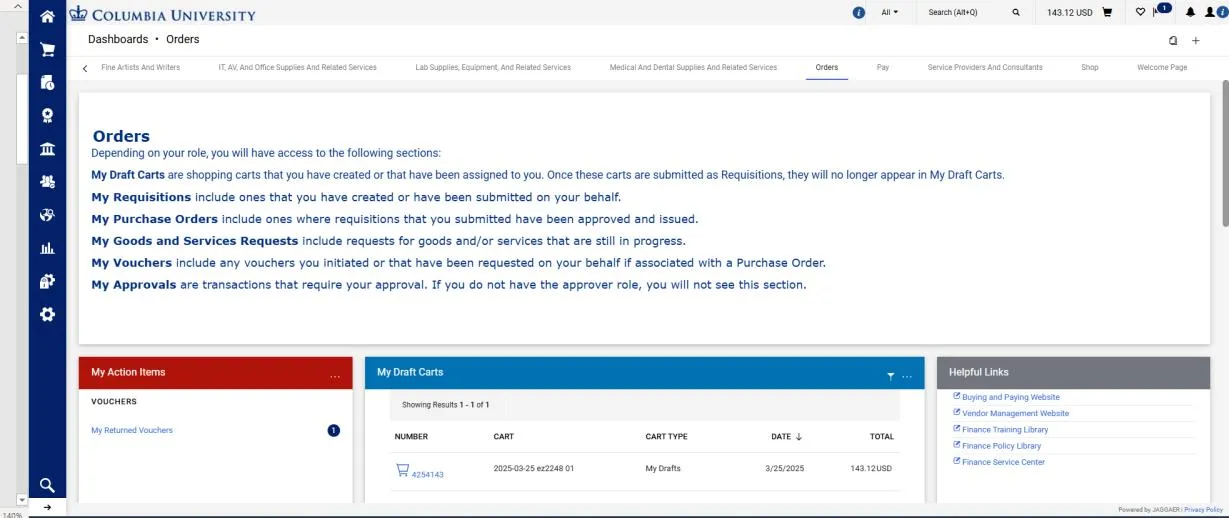
The Description panel outlines all the sections available on the page.
2. Scroll down to the My Vouchers section in the Orders dashboard.
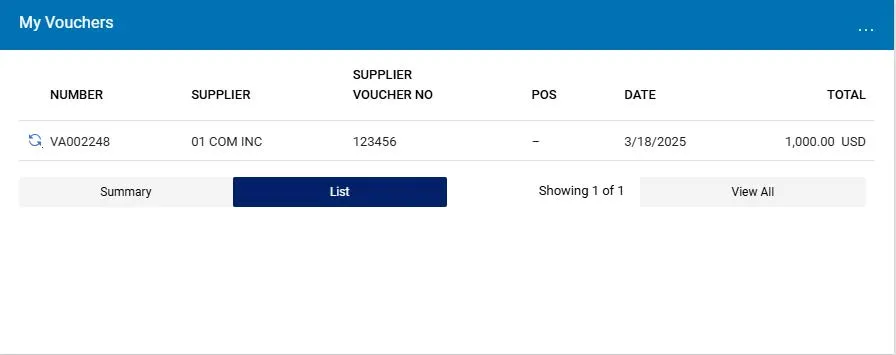
My Vouchers include any PO or Non-PO Vouchers you submitted, or that have been submitted on your behalf if associated with a Purchase Order for which you were the Requisition Initiator. You can access the Voucher to view the approval status or add Comments to request that the Voucher be returned to you by the Approver for editing. Refer to the CU Marketplace Tip How do I Edit a Requisition or Voucher Submitted for Approval? for more details.
3. Click the Number of the Voucher to open it.
Viewing Your Draft Vouchers
Draft Vouchers are Vouchers that have not yet been submitted into approval workflow. As such, Draft Vouchers are not available from the Orders dashboard. Instead, navigate to View Draft Vouchers from the left side Navigation Menu.
1. Click the Pay icon from the left side Navigation Menu and select Vouchers and View Draft Vouchers.
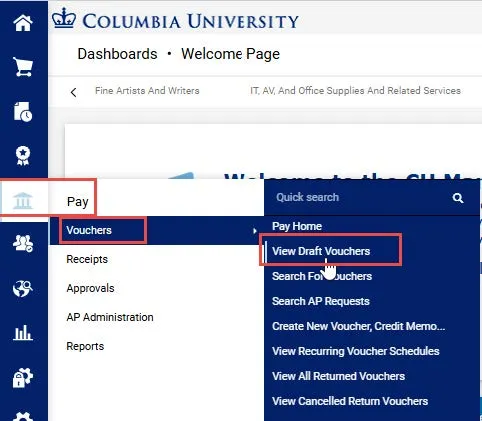
The Vouchers screen displays My Drafts.
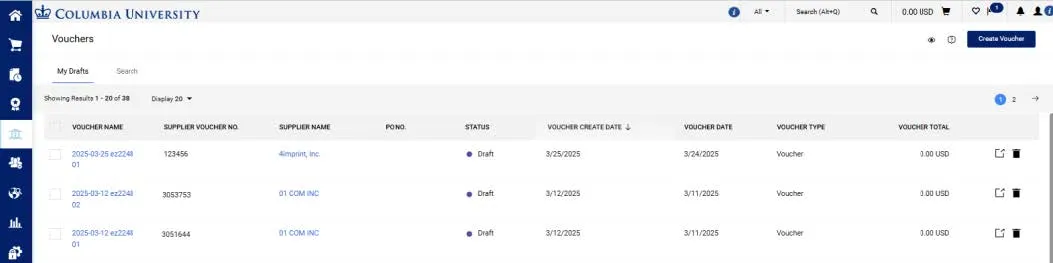
2. Click the Voucher Name to open the Draft Voucher you want to continue working on or submit into approval workflow.
Where do I get help?
View previous CU Marketplace Tips as well as the CU Marketplace Tips and Best Practices webpage.
Contact the Finance Service Center.
Log an incident or request a service via ServiceNow.